
Go to documentation repository


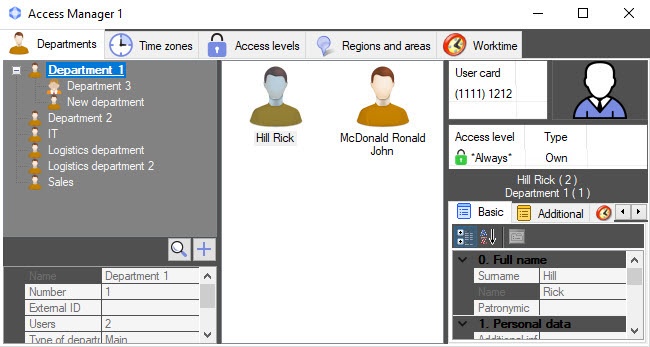
To view a list of users, select one of the departments in the department hierarchy. A list of users included in this department is displayed in the middle part of the Access Manager interface window.
Note
When the number of users in a department is large (more than 2000), it can take some time to display the list of users, which depends on computer performance.
When you select a user in the list, user properties are displayed in the right part of the Access Manager window. By default, the first user from the list is selected when you view the department.
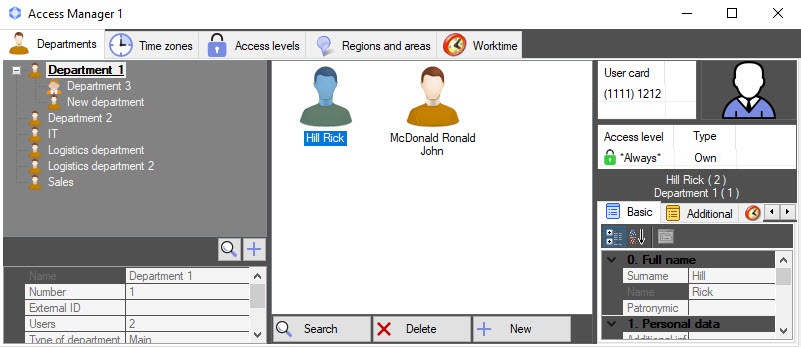
When you press the key combination Ctrl+Shift+M, the user control panel is displayed at the bottom of the window:
- Search—User search in the Access Manager software module.
- Delete—Deleting a user in the Access Manager software module.
- New—Creating a user in the Access Manager.
Note
To hide the user control panel, press the key combination Ctrl+Shift+M again.
Overview
Content Tools