
Go to documentation repository

Previous page Next page

To stop the Visitor Management System software module, do one of the following three actions:
- Click the
 button on the ACFA Intellect Software System's main control panel and select the Close all menu item.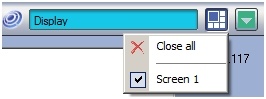
Click the
 button in the upper right corner of the Visitor Management System software module's window.
Note:
After using this method to stop the module, you must restart the ACFA Intellect Software System to start the Visitor Management System software module again.- Go to the File menu and select Exit.
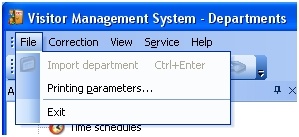
Note:
After using this method to stop the module, you must restart the ACFA Intellect Software System to start the Visitor Management System software module again.
Overview
Content Tools