
Go to documentation repository
Previous page Next page
Attention!
For the program module to operate, you must install the MS Visual C++ Runtime 2015 redistributable package on the computer.
To license the Stopped vehicle detection module, do the following:
Run the HardwareID.exe utility.
Attention!
You must run the HardwareID.exe utility as administrator.
Besides, you must start this utility after the full loading of the operating system, specifically after the start of all required services and applications.
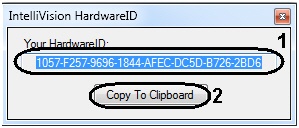
Licensing the Stopped vehicle detection module is complete.

