You can configure the Heat map detection module using the settings panel of the Heat map detection object that is created on the basis of the Camera object on the Hardware tab of the System settings window.
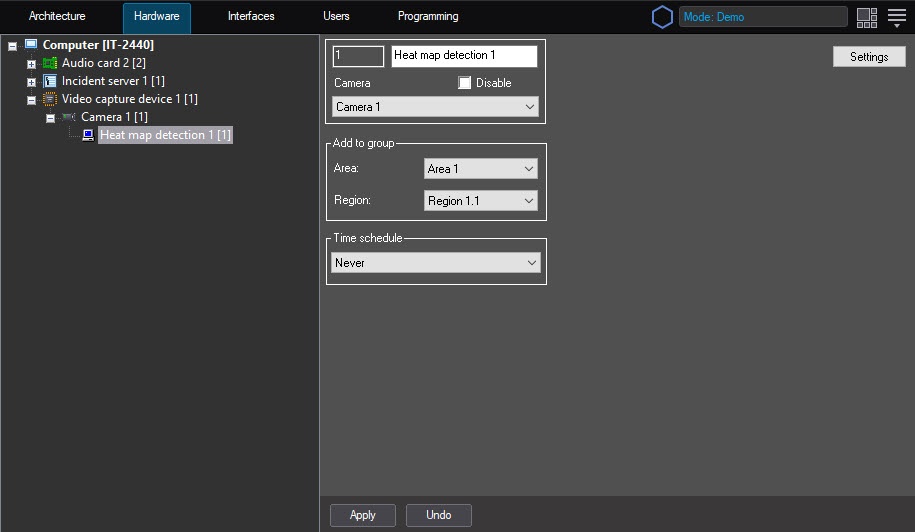
To configure the Heat map detection module, do the following:
- Go to the settings panel of the Heat map detection object.
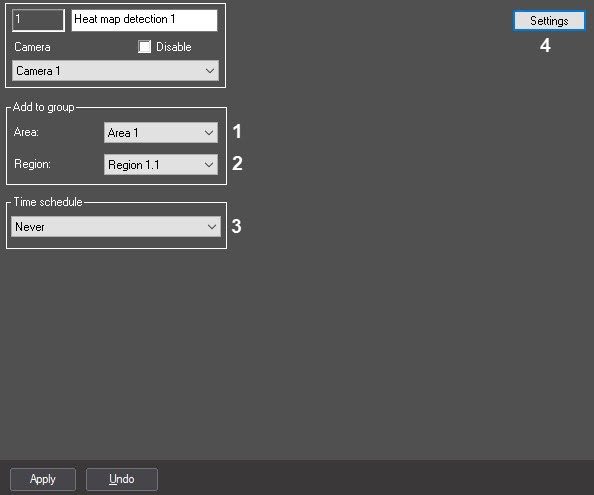
- From the Area drop-down list, select the Area object to display the list of those regions that belong to this area (1).
- From the Region drop-down list, select the Region object to which you want to refer this detector (2).
From the Time schedule drop-down list, select the corresponding time schedule within which the detector operates (3).
- Click the Settings button (4). The Detection settings window opens.
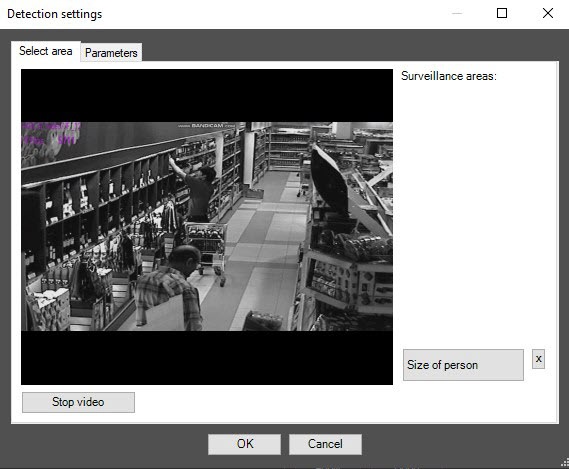
- Specify surveillance areas that you want to monitor using the detector:
- Click the Stop video button to capture the video image.
- In the captured video image, specify the areas that you want to monitor (1). To specify an area, set the anchor points of the interested area using the left mouse button. After you set the last anchor point, click the right mouse button, and the curve closing occurs automatically.
Surveillance areas are numbered in the order of creation starting from one. When you add an area at the right of the video image, the corresponding button is displayed (2).
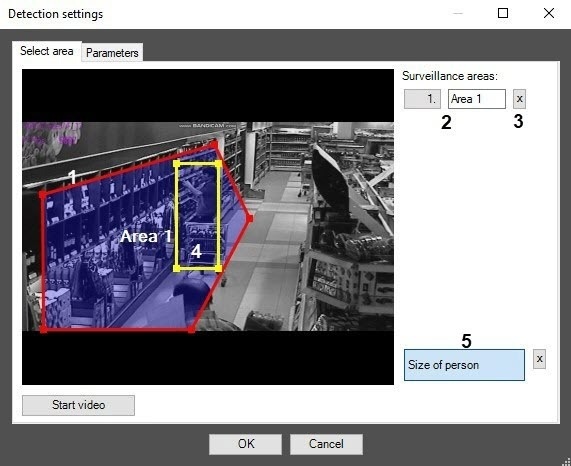
- To remove an area, click the
 button next to the area number (3).
- Set the approximate person on the image in the following way:
- Click the Size of person button (5).
- On the captured video image, set the approximate person size. To do this, use the left mouse button to select the rectangular area (4).
- To remove the person size, click the
 button next to the Size of person button.
- Set the module parameters:
- Go to the Parameters tab of the Detection settings window (1).
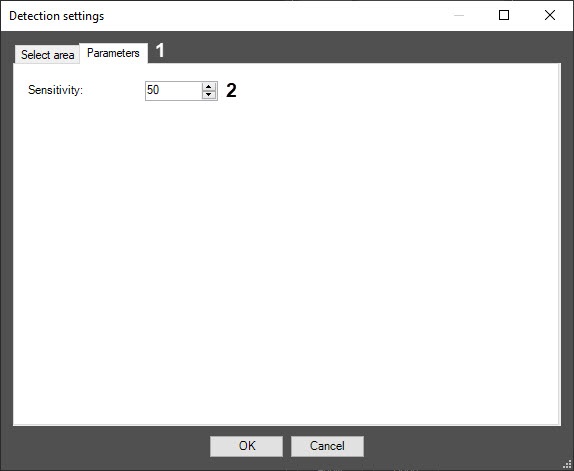
- In the Sensitivity field (2), enter the sensitivity value parameter using up-down buttons. The optimal value is selected experimentally by testing the detector for event generation in required conditions. The value range is from 0 to 100. The more sensitivity, the more possibility of false event generation. The less sensitivity, the more possibility of losing the event.
- Click the OK button.
Configuring the Heat map detection module is complete.


