Go to documentation repository
Previous page Next page
In case of an alarm in the surveillance area, the Event viewer interface window receives the message corresponding to the position of the person that you must detect, for example, Recumbent person detection from the Pose detection object. When an alarm disappears, the Triggering end event is received in the surveillance area. See also Configuring the Pose detection.

For more information on working with the Event viewer interface window, refer to the Axxon PSIM. Operator's Guide. The current version of this document is available in the AxxonSoft documentation repository.
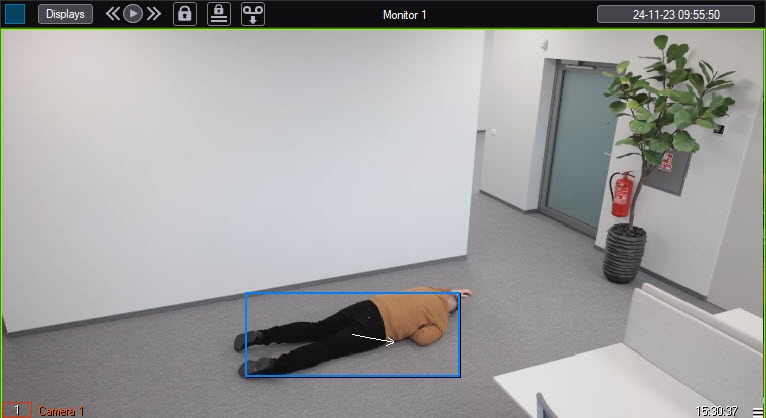
If you set the Display event on screen checkbox (see Configuring the Pose detection), when the pose detection generates an event, an alarm border of the color specified in the detector settings appears in the monitor window.
Note
The Display event on screen and Alarm border color parameter settings are absent for the close-standing people detector.
Example of displaying the Recumbent person detection event on the screen: