
Go to documentation repository

Documentation for Monitoring PSIM 2.0 (english)
Previous page Next page

The owners panel always operates along with the control panel. The owners panel interface is shown in the figure.
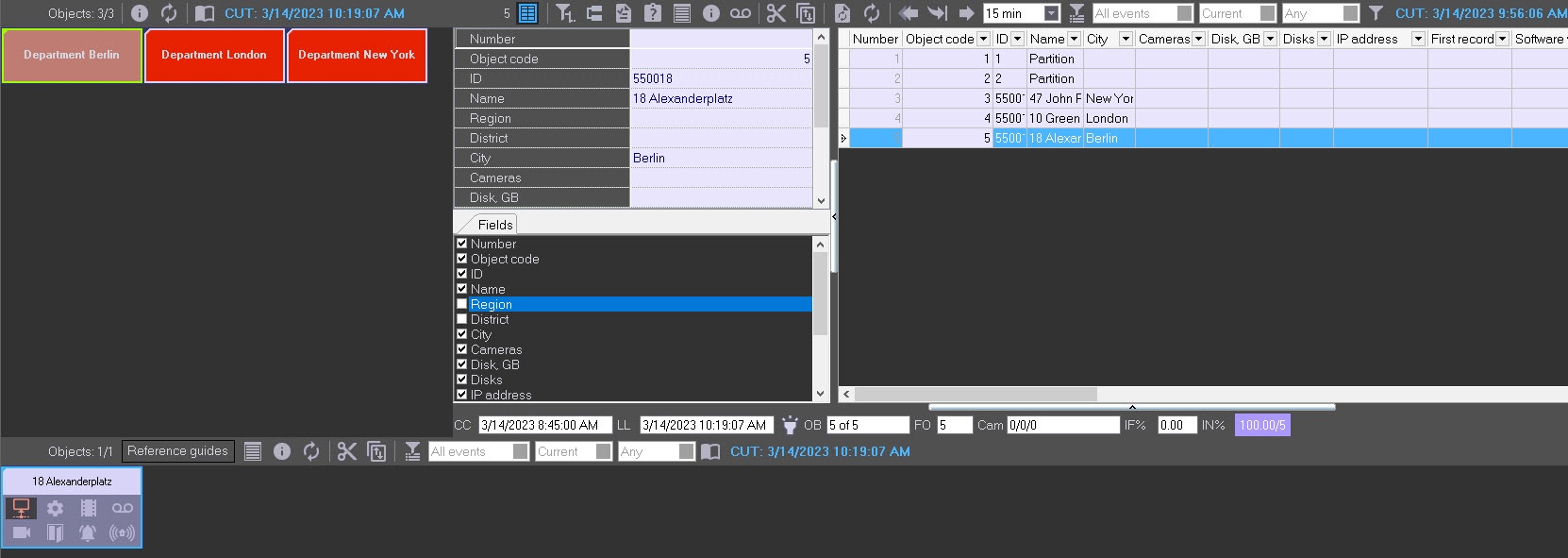
Owners are represented on the panel as rectangles. The color of the rectangle indicates whether there are alarms on the objects that belong to this owner:
- White (there are no errors on the objects that belong to the owner).
- Red (on the objects that belong to the owner, there are errors and alarms that aren't confirmed by the operator).
- Pink (on the objects that belong to the owner, there are noncompleted errors, but they are all confirmed by the operator).
If you left-click the owner, the owner's rectangle is framed in blue, and only those objects that belong to this owner are displayed on the control panel.
Depending on the rights of the current user specified during the system setup (see Configuring the Monitoring interface object), not all owners registered in the system can be displayed on the owners panel. The information on the displayed and total number of owners is presented in the upper left part of the owners panel.
Information on the owners panel is updated after every data loading from the database. The date and time of the last update of the data displayed on the screen is indicated in the upper right corner of the window in the Current Update Time (CUT) field. To update the displayed data, click the  button. If there are new data in the database, they are displayed on the owners panel.

By default, if the MonitorSSTV database isn't updated for more than 30 minutes, for example, due to the Data Loader malfunction, or if the communication module (license restrictions) stopped working on the Server of Control, then:
- On the Server of Control, all owners are covered with diagonal lines. When you hover the mouse pointer over such an owner, a context prompt appears: ATTENTION! Information in DB is outdated! Last update time: <Date and Time of the last upload to the database>. The CUT flashes red.
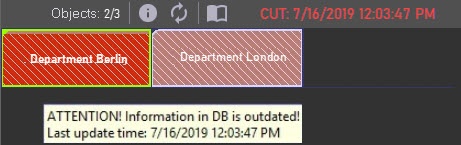
- On the Central Server of Control, only the Servers of Control with outdated information are covered with diagonal lines. When you hover the mouse pointer over such an owner, the similar context prompt appears. However, the CUT remains blue and doesn't flash.
Note
To change the waiting time for updating the MonitorSSTV database, after which the corresponding indication on the Server of Control/CSC is enabled, you must set the required time value in minutes for the LastLoadThreshold parameter of the HKEY_LOCAL_MACHINE\SOFTWARE\Wow6432Node\BitSoft\VHOST\VHostService registry key (see Vertical solutions, for more information on working with the registry, see Working with Windows OS registry).
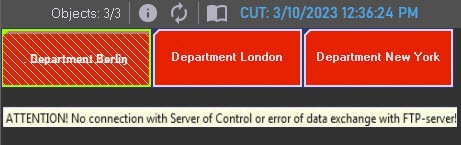
If there is no connection between the Central Server of Control and the Server of Control, or if there is a problem in data exchange with the FTP server (for example, an incorrect password), then only the Servers of Control with this problem are covered with diagonal lines. When you hover the mouse pointer over such an owner, the context prompt appears: ATTENTION! No connection with Server of Control or error of data exchange with FTP-server! The CUT remains blue and doesn't flash.
Overview
Content Tools