
Go to documentation repository
Previous page Next page
To register a new role in the WEB Report System PSIM:
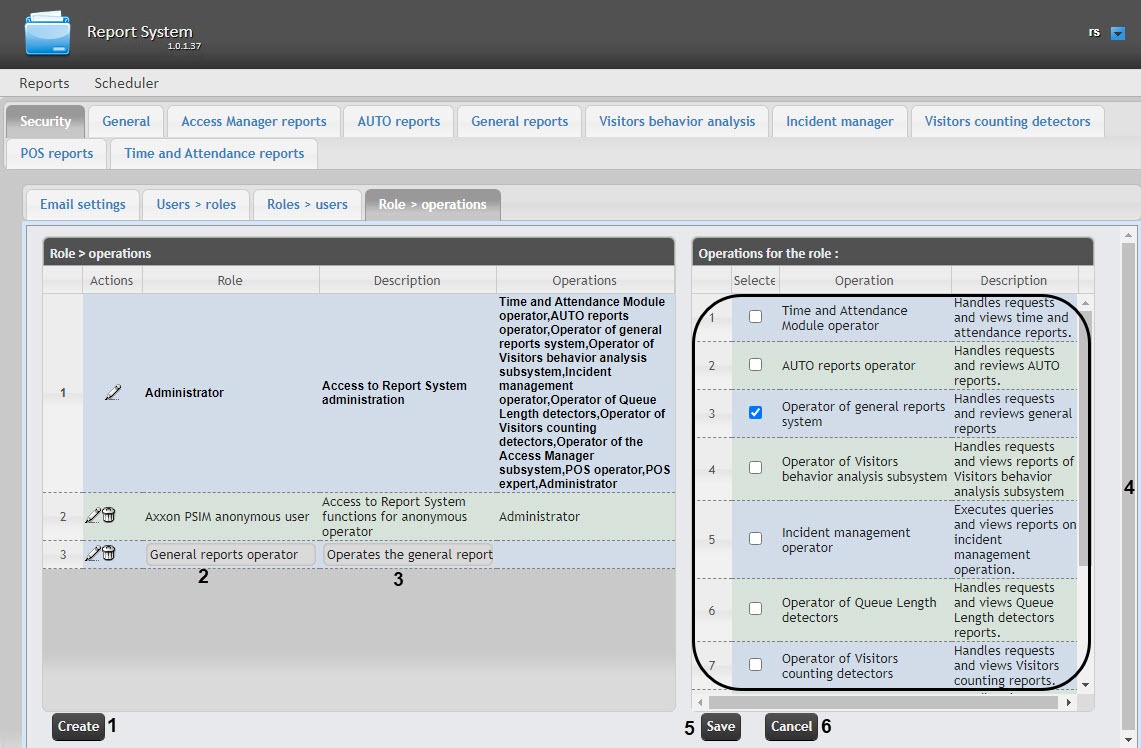
As a result, a new line is added to the Role > operations table. Fill in its fields:
In the Description field, enter a brief description of the operations that will be available to the users with a new role (3).
Note
This field is optional for filling in.
In the Operations for the role table (4) in the Selected column, set the checkboxes next to those operations that are available for users with a new role.
Note
We recommend you study the description of operations beforehand in the Description column of the same table.
In order to register a role, click the Save button (5).
Note
To cancel the registration of a new role, click the Cancel button (6).
Role registration in the WEB Report System PSIM is complete.

