
Go to documentation repository
Previous page Next page
To configure user access to POS reports, do the following:
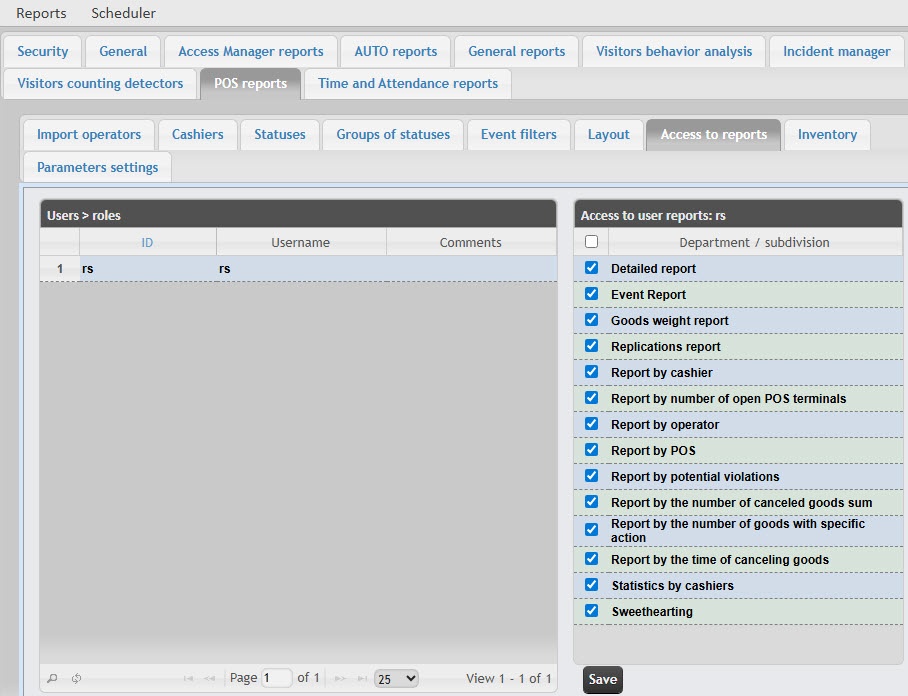
In the Users table, select the user for whom you want to configure the access.
Note
The user must have a role with the right to perform the POS operator and/or POS expert operations. For details on role configuration, see Set up roles.
In the Access to user reports table, the list of available reports for the selected user is displayed.
Set the checkboxes next to the reports to which you want to give access to this user.
Setting up user access to POS reports is complete.

