
Go to documentation repository
Previous page Next page
The Employee time clock report contains the information about an employee's arrival and leaving time every day of the specified time period.
You can create the report in two variants: regular view (default) and alternate view.
If you set the Including latecomers checkbox, the users’ late arrivals are marked, including the time by which they were late.
Example of the regular view of the Employee time clock report.
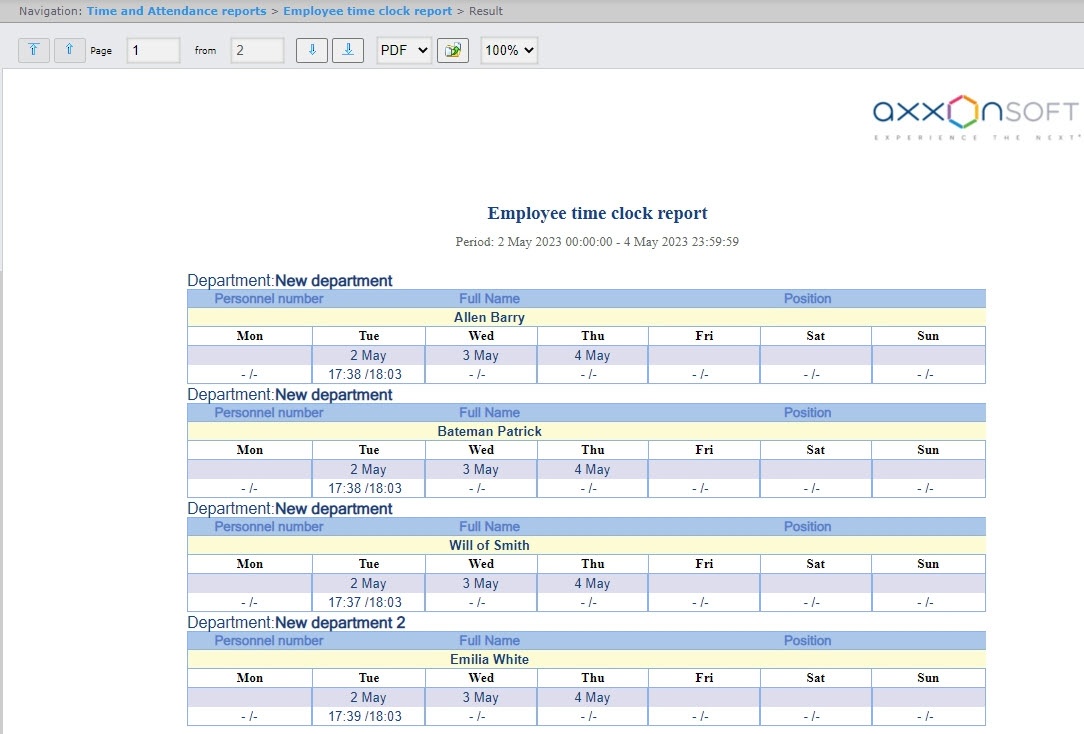
The regular view report is created for the period selected by the user.
Example of the Employee time clock report when the Alternate view checkbox is set.
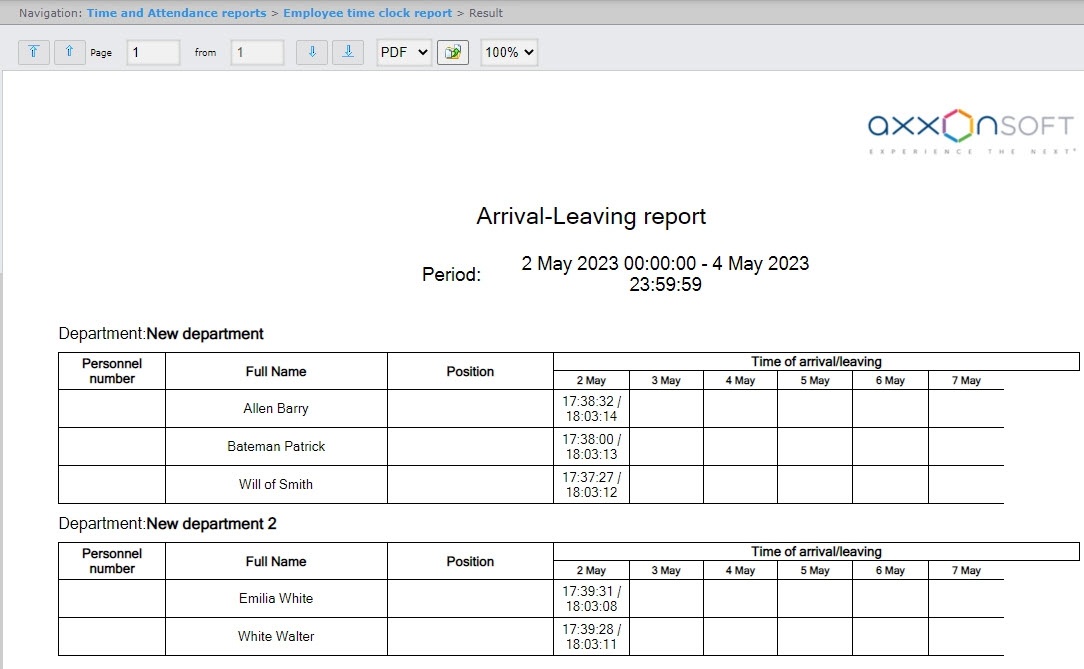
If the selected period is a week or less, the Employee time clock report in alternative view is created for a week. If the selected period is more than a week, the report is created for a month.
The report fields are described in the table.
| Field name | Description |
|---|---|
| Personnel number | Employee's personnel number |
| Full Name | Employee's full name |
| Position | Employee's position |
| Time of arrival/leaving | Date and information on the arrival and departure of the employee for each day of the specified period |

