
Go to documentation repository
Previous page Next page
Note
You can use templates when you create a report.
To add a new template, click Report templates → New template and fill in the Name and Description fields. The template will use the selected parameters of the current report.
Templates work the same way as templates in the scheduler and can be used interchangeably.
When you create a response using a template, click Report templates at the top of the page and select the required template from the list of saved templates (the required template is highlighted). As a result, the parameters of the current report are updated according to the selected template.
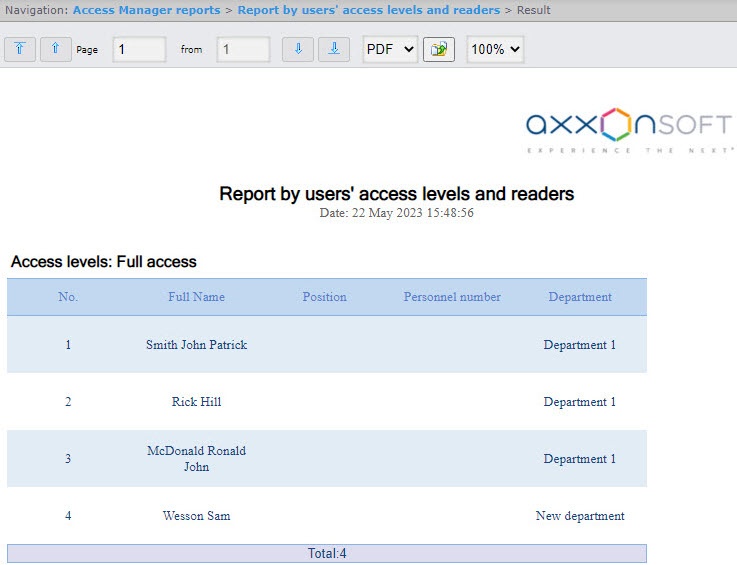
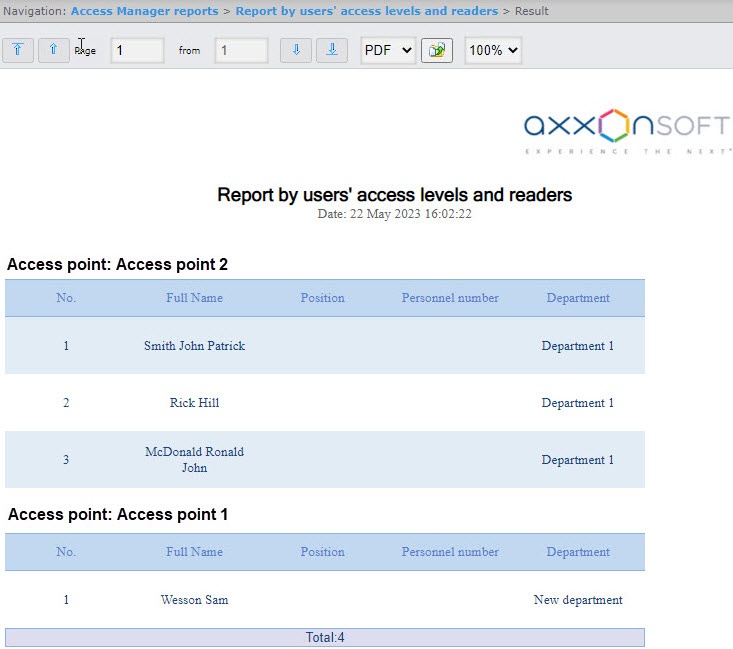
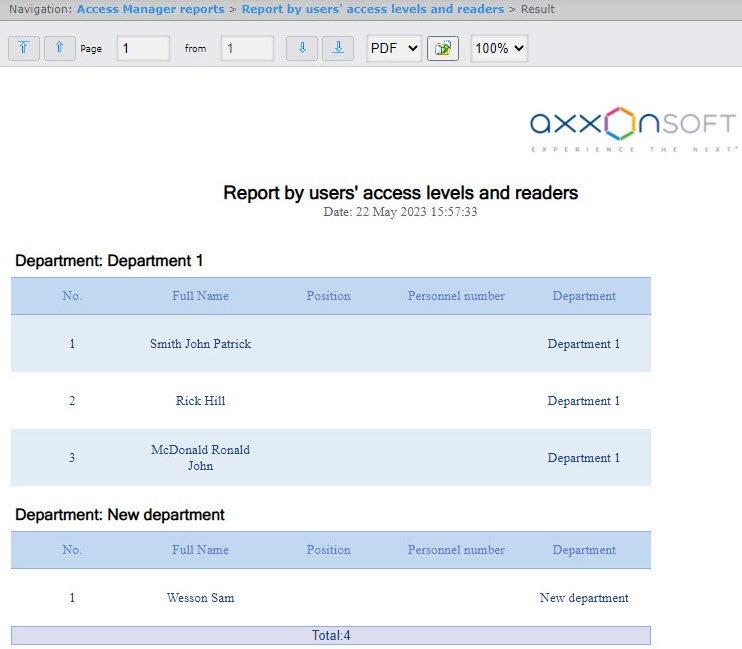
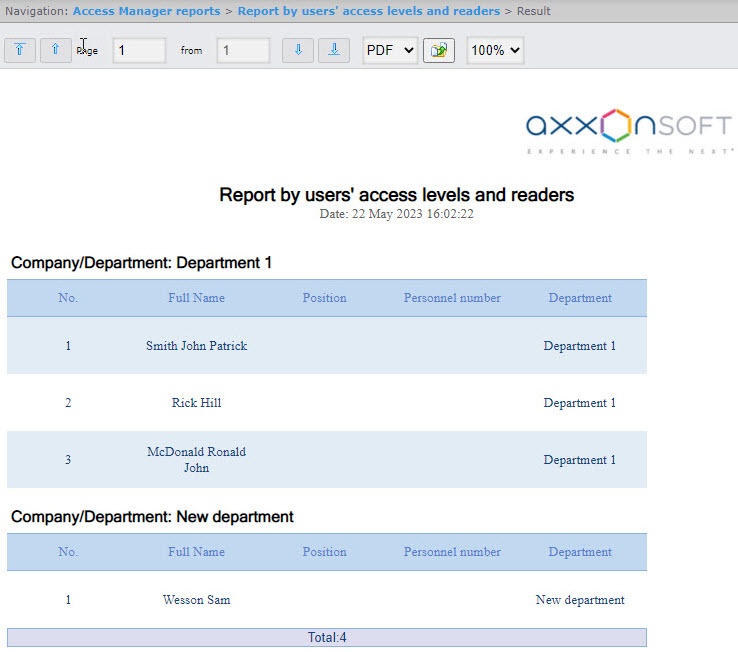
The Report by users' access levels and readers is a table that contains the information about users with the selected access levels or selected readers assigned to them.
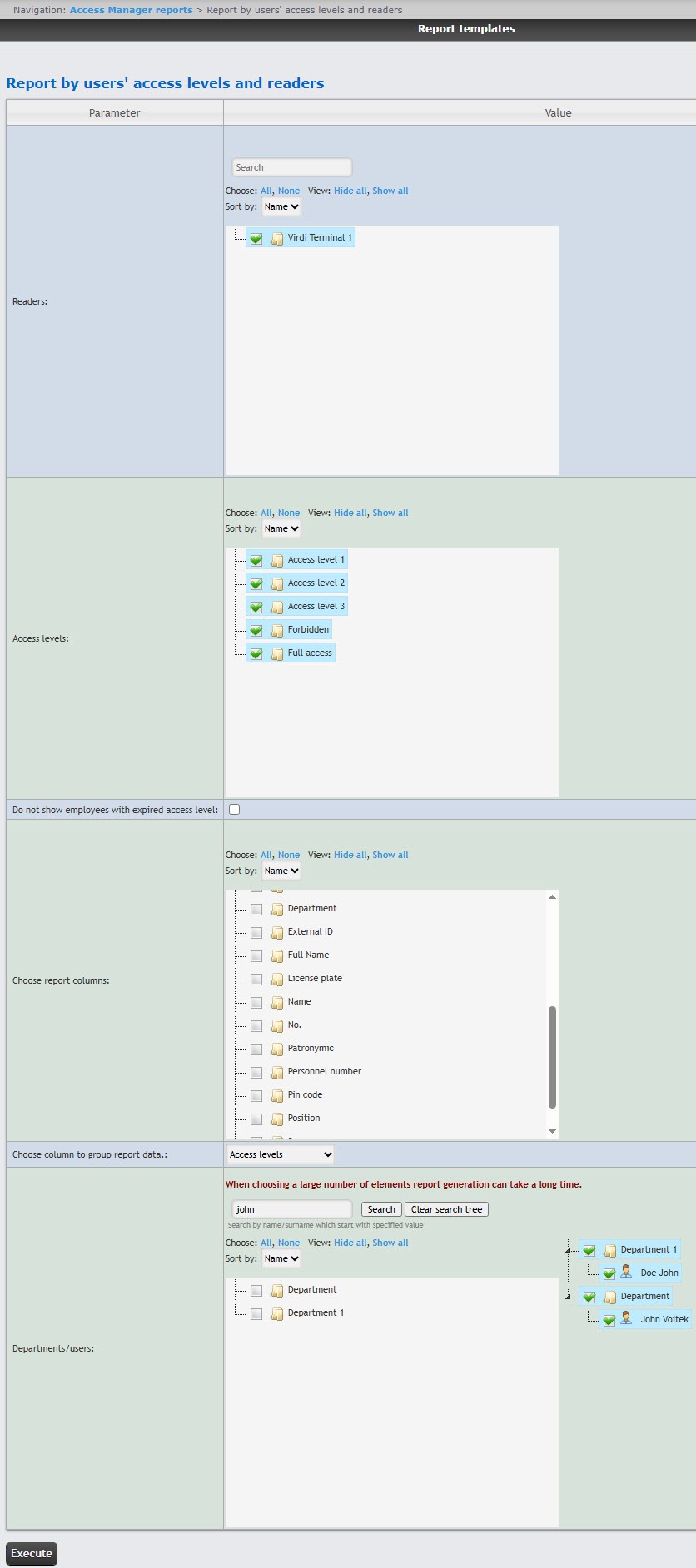
To create the Report by users' access levels and readers:
Attention!
This field displays only those access points that are added to any access level in the Access Manager module (see Creating access levels).
For the rs user, it is sufficient to create an access level with all access points. For other users, you must assign access levels in the Access Manager module (see Assigning access levels to a user).
Note
You can select up to 5 columns.
| Field name | Description |
|---|---|
| No. | Line number |
| Full Name | Employee's full name |
| Name | Employee's first name |
| Surname | Employee's last name |
| Patronymic | Employee's patronymic |
| Position | Employee's position |
| External ID | Employee's external ID |
| Personnel number | Employee's personnel number |
| License plate | License plate of the employee's car |
| Car | Brand of the employee's car |
| Card number | Number of the employee's access card |
| Card code | Code of the employee's access card |
| Date of card issue | Date when the card was issued to the employee |
| Access point | Access point through which the employee passed |
| Access levels | Employee's access level |
| Company/Department | Company/Department where employee works |
| Phone | Employee's phone number |
| Company | The name of the parent department, if the employee's department is a subsidiary |
| Comment | Comment |
| Card start date | Start date of the employee's card |
| Card expiration date | Expiration date of the employee's card |
| Pin code | PIN code of the employee's card |
You can save the report in the following formats:
The Report by users' access levels and readers is created.

