
Go to documentation repository
Previous page Next page
The Personal presence-at-workplace report contains the information about periods when the selected employee visited and left the specified region during a day and how long an employee was in the selected region for a specified period.
Note
Each employee must have the date of hiring filled in. Employees whose date of hiring is not filled in or is set for a date later than the actual access are not displayed in the report.
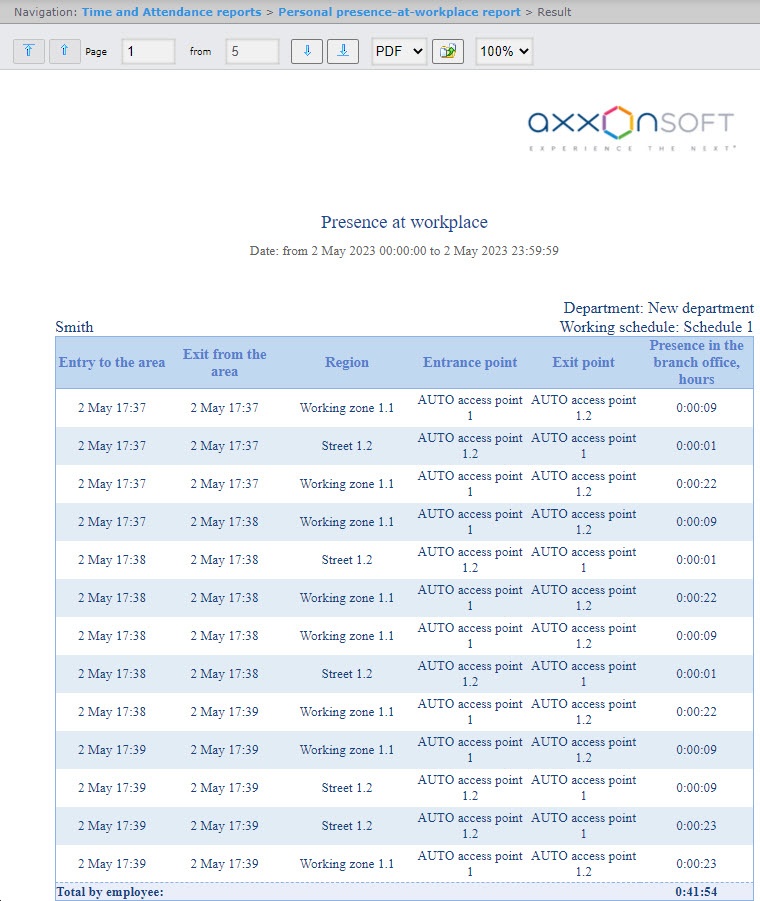
Example of a report with the View 1 appearance.
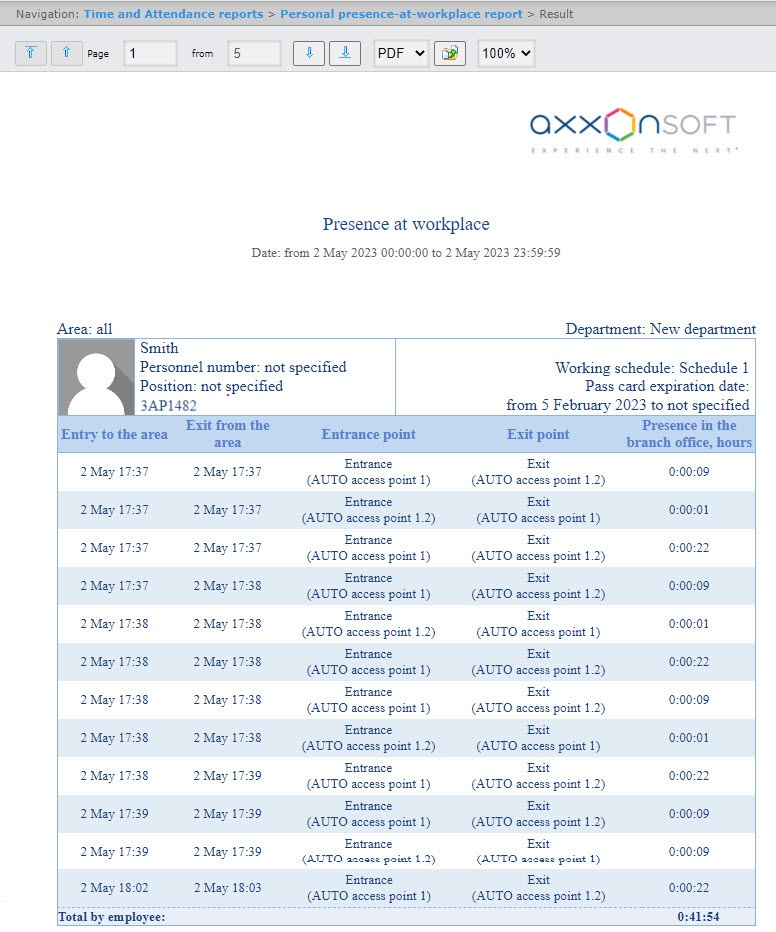
Example of a report with the View 2 appearance.
Note
In order for employee photos to be displayed, it is necessary to configure the report (see Setting up the Presence at workplace report and Personal presence-at-workplace report).
Report fields are described in the table.
Field name | Description |
|---|---|
Entry to the area | Date and time the employee entered the area |
Exit from the area | Date and time the employee left the area |
Entrance point | Name of an access point through which the employee entered the area |
Exit point | Name of an access point through which the employee left the area |
Presence in the branch office, hours | The time period during which the employee was present in the area |
| The Total by employee line displays the total time spent by the employee in the area for the selected period of time | |

