
Go to documentation repository

Documentation for Axxon PSIM 2.0. Documentation for other versions of Axxon PSIM is available too.
Previous page Next page

The Vivotek Panoramic PTZ functionality supports the Vivotek SF8172 and Vivotek SF 8172V fisheye cameras, as well as the Vivotek SD8362E PTZ camera.
For information on how to install these cameras and configure connection between them for proper use of the Vivotek Panoramic PTZ, refer to the official documentation that is available on the Vivotek website: http://www.vivotek.com/panoramic%20ptz/
For this functionality to operate in Axxon PSIM, you must create and configure the following objects in the hardware tree in accordance with the connected cameras:
- Two Video capture device objects (the setting is described in the Configuring video acquisition from IP devices section).
- Two Camera objects based on the Video capture device objects corresponding to the connected cameras.
- Two Telemetry controller objects (the setting is described in the Configuring PTZ IP cameras section).
- Two PTZ device objects based on the Telemetry controller objects, corresponding to the created cameras (the setting is described in the Configuring PTZ device in Axxon PSIM section).
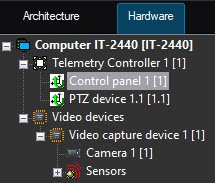
You also must configure the Monitor and Telemetry control panel interface objects to control PTZ devices (see the Configuring the Monitor for telemetry control and the Configuring the telemetry control panel sections).
After you configure all enumerated objects, the telemetry control on the fisheye camera using the AreaZoom and Point&Click functions becomes available (for detailed information on how to use these functions, see the Control of PTZ devices using a mouse section of the Operator’s Guide document).
Overview
Content Tools