
Go to documentation repository


To add a new user, do the following:
Note
In addition to the method described below, you can also create new users by clicking the New button on the user control panel (see Viewing a list of users).
- Open a list of users (see Viewing a list of users).
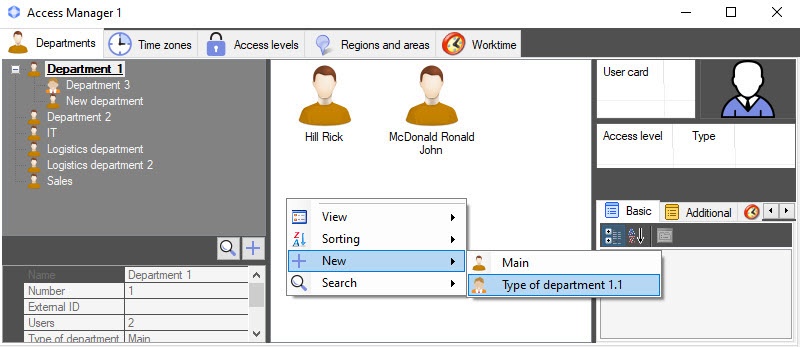
Right-click in a free area of the user list or any previously created user.
Note
Rights to create users can be limited when you configure the Access Manager module. The message about the lack of corresponding rights is displayed. See also Configuring the rights to manage objects in Access Manager.
- Select the New item in the function menu. The Full name of new user window opens.
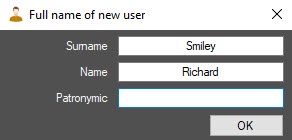
Enter the surname, name, and patronymic of a new user.
Click the OK button.
Note
- Surname, name, and patronymic must not contain the following characters: < | >.
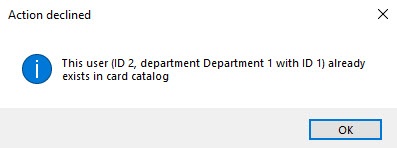
- If a duplicate record check is enabled and there is a user with such a name in the system, the error message with the ID of an existing user and department to which the user belongs is displayed. See also Configuring the prohibition of duplicates of new user parameters in the Access Manager.
- The Editing. <User name> (creation) window opens.
The further process of user creation is described in Editing a user.
Creation of a new user is complete.
Overview
Content Tools