
Go to documentation repository
Documentation for Axxon One 3.0/3.1 version. Documentation for Axxon One 2.0 version is also available.

On the page:
Create a time zone
A time zone is a set of time intervals during which the video stream from the camera is recorded into the archive.
To create a time zone:
- Go to the Settings tab → the Options tab → Time zones.
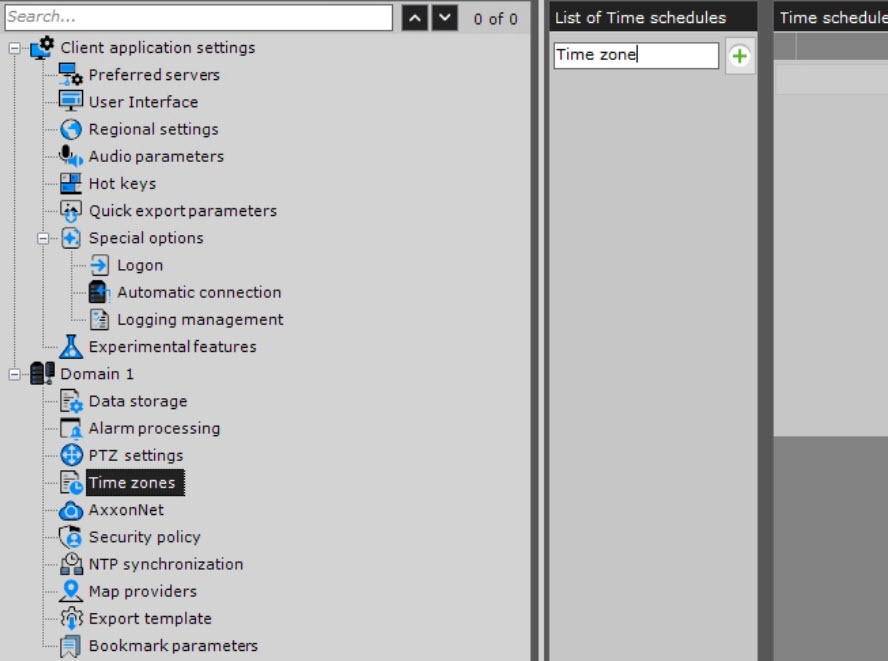
In the List of Time schedules column, enter the name of the time zone.
Click the
 button.
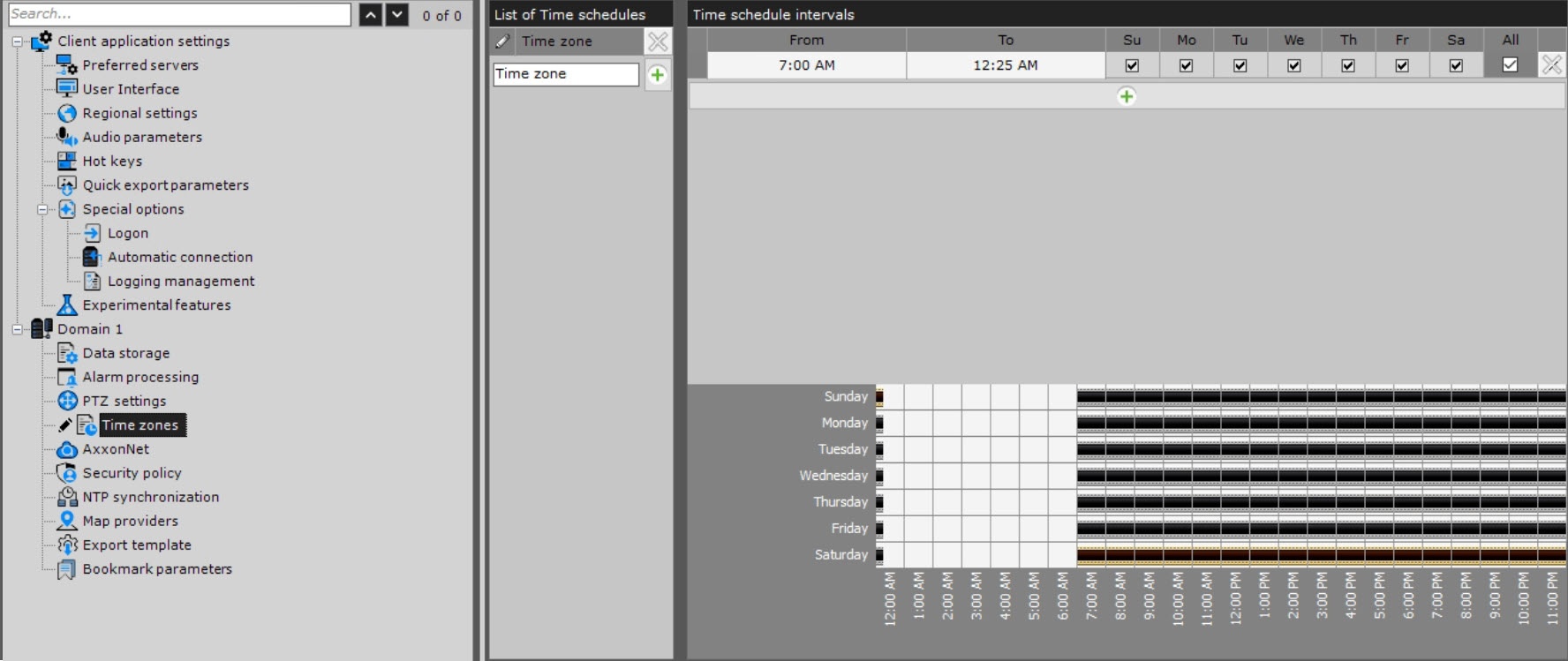
- Configure the time intervals included in the zone:
In the From column, set the start time of the interval, using the buttons accessible by double left-clicking.
Button
Action

Move the start of the interval back by 1 hour

Move the start of the interval back by 5 minutes

Move the start of the interval forward by 5 minutes

Move the start of the interval forward by 1 hour
- In the To column, set the end time of the interval, using the buttons accessible by double left-clicking.
- Select the days of the week included in the interval by setting the checkboxes in the corresponding columns.
Create the necessary number of intervals included in the time zone. A visual display of time intervals for each day of the week is available on the time chart. To delete a time interval, click the
 button in the corresponding row.
- Click the Apply
 button. To cancel the actions, click the Cancel
  button.
Creation of a time zone is complete.
Delete a time zone
To delete a time zone:
- In the List of Time schedules column, click the button next to the zone that you want to delete.
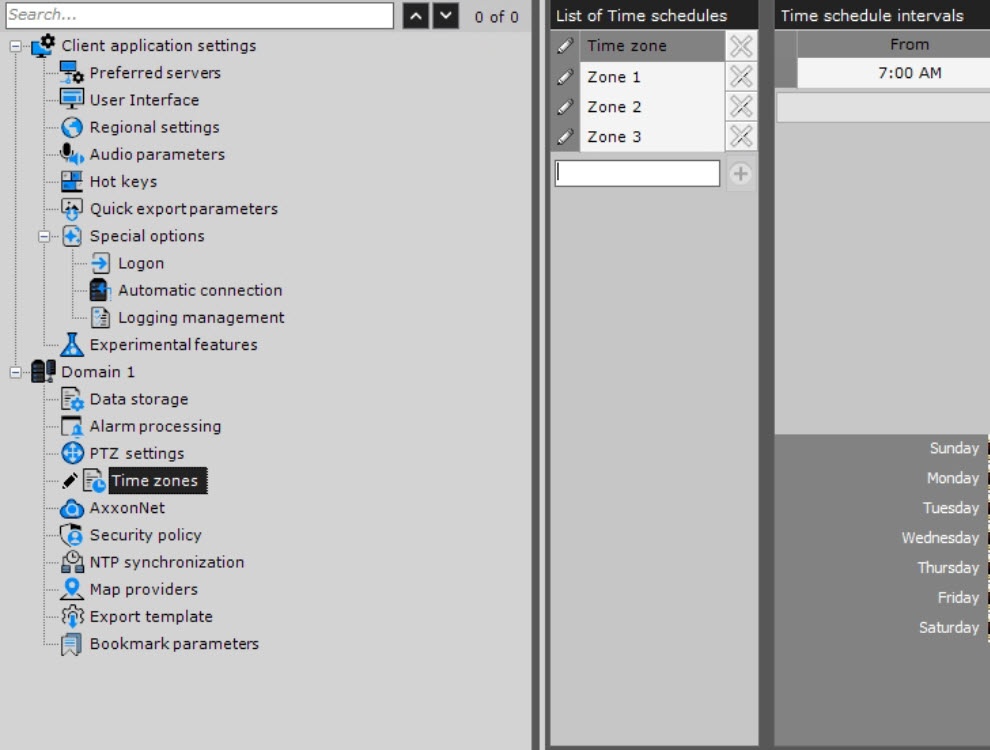
- Click the Apply button. To cancel the actions, click the Cancel button.
Deletion of a time zone is complete.
Overview
Content Tools