
Go to documentation repository

Documentation for Axxon PSIM 2.0. Documentation for other versions of Axxon PSIM is available too.
Previous page Next page

The Change history function allows restoring the object settings.
Note
The history of changes is individual for each object and is saved after its recreation.
To restore the object settings, do the following:
- In the objects tree, select the object that you want to restore.
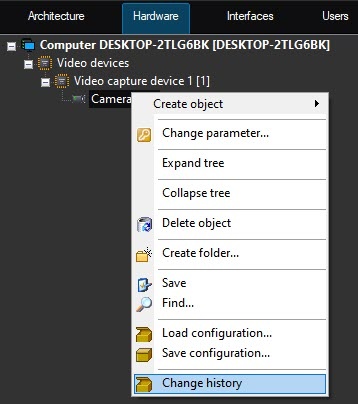
- Open the context menu using the right mouse click.
- Select the Change history menu item.
- In the Settings restoration window, select from the list the required version of object changes by the date and time of saving.
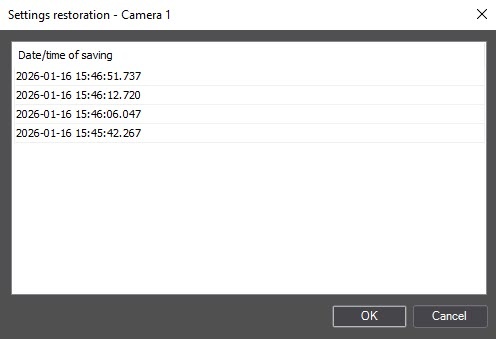
- Click OK.
As a result, the object settings are restored.
Overview
Content Tools