
Documentation for Auto PSIM 2.0.

Previous page Next page

You are viewing an old version of this page. View the current version.

Compare with Current View Page History

Version 1 Current »

To select a camera for the operation with the PR channel, do the following:
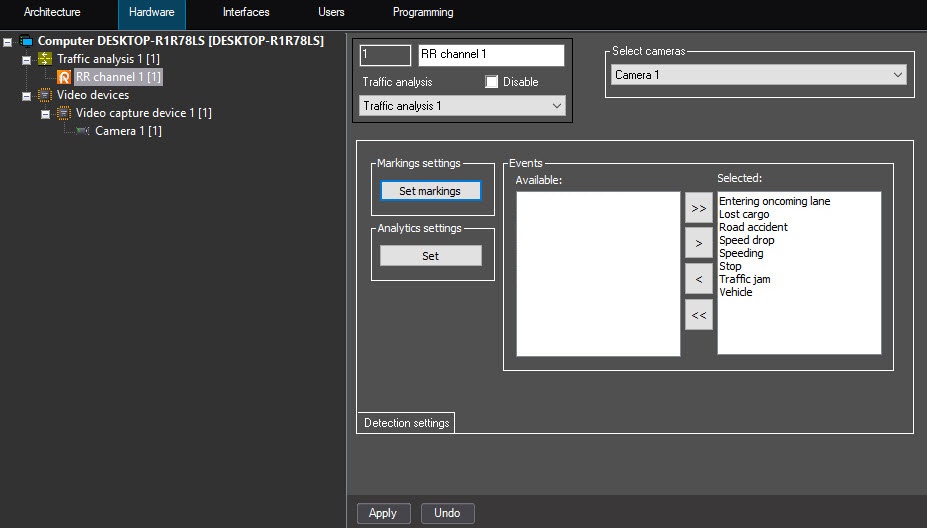
  1. Go to the settings panel of the PR channel object.
  2. From the Select cameras drop-down list, select a camera directed to the traffic lane, the video signal from which is processed by the PR channel.

    Note

    First, you must create and configure this camera in Axxon PSIM.

  3. To save the settings, click the Apply button.

Selecting cameras for the operation with the PR channel is complete.


  • No labels