
Go to documentation repository
Previous page Next page
Note
You can use templates when you create a report.
To add a new template, click Report templates → New template and fill in the Name and Description fields. The template will use the selected parameters of the current report.
Templates work the same way as templates in the scheduler and can be used interchangeably.
When you create a response using a template, click Report templates at the top of the page and select the required template from the list of saved templates (the required template is highlighted). As a result, the parameters of the current report are updated according to the selected template.
To create the Visitors activity statistics report:
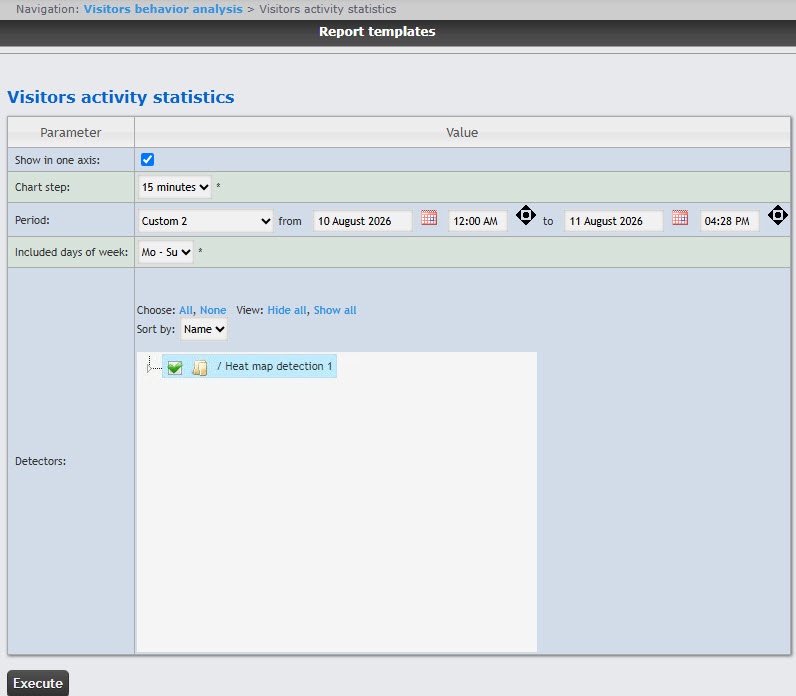
From the Included days of week drop-down list, select the days when most customers work/don't work to consider in statistics.
Note
If the data period and the specified included days of the week don't overlap, an empty report is created, and a message prompting to change the Included days of week parameter or specify another Period is displayed.
Example of a Visitors activity statistics report.
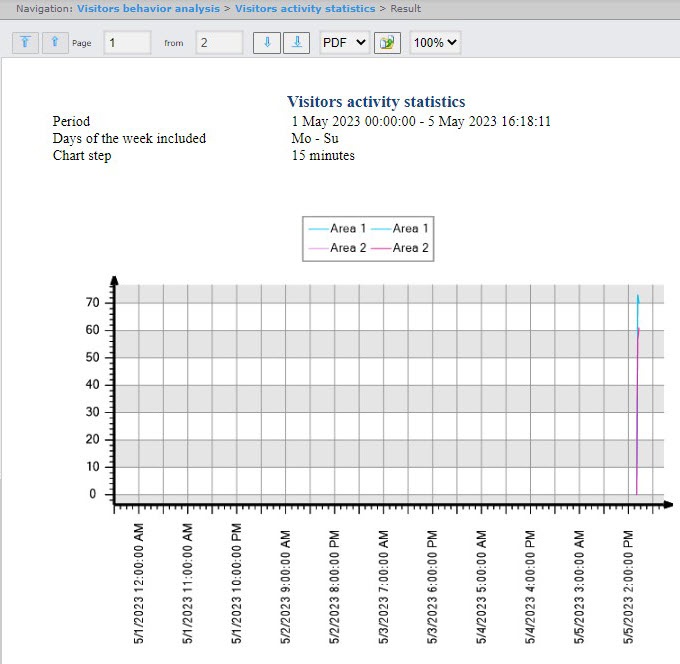
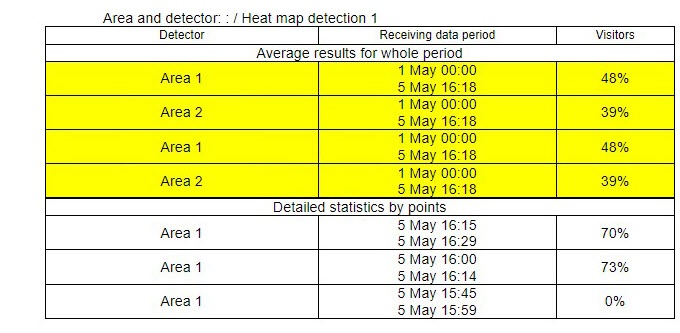
The report displays the average customer activity by areas for the whole period and the detailed statistics on customer activity for each time interval.

