
Go to documentation repository

Documentation for Axxon PSIM 2.0. Documentation for other versions of Axxon PSIM is available too.
Previous page Next page

Axxon PSIM has the option of showing captions for a list of cameras that are displayed in the Monitor interface window. This option is enabled by default. In large distributed systems, we recommend disabling captions on those monitors where you don't want captions to be shown in order to decrease the number of events.
Attention!
This setting affects the display of outlines around detected objects or abandoned objects (see Working with smart detectors) when viewing archive:
- If the Show captions checkbox is clear, the outlines generated by the VMDA smart video detectors aren't displayed.
- If the Show captions checkbox is set, the outlines will be displayed.
To disable the option of captions showing, do the following:
- Go to the Basic settings tab on the settings panel of the Monitor interface object.
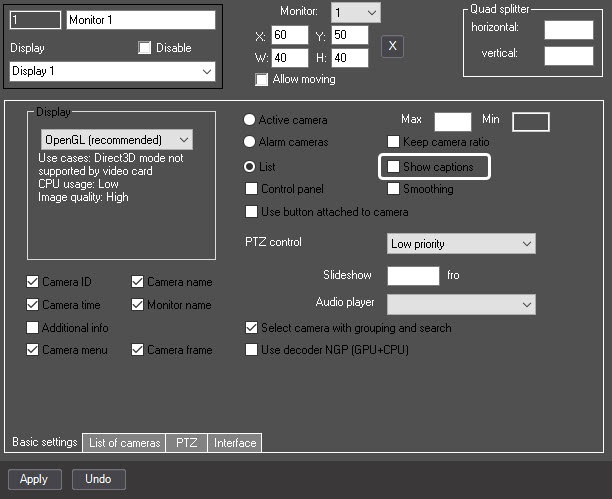
- Clear the Show captions checkbox.
- Click the Apply button to save the changes.
The option of captions display is disabled.
Overview
Content Tools