
Go to documentation repository

Documentation for Axxon PSIM 2.0. Documentation for other versions of Axxon PSIM is available too.
Previous page Next page

This function allows moving system objects to the objects tree folder.
Attention!
When you work in the distributed system, objects are grouped into folders individually on each server/RAW and aren't displayed on other servers/RAWs. The folders are synchronized between servers/RAWs.
To synchronize the contents of folders on all servers/RAWs, set up database synchronization.
To move objects to the folder, select the object that you want to move, open the context menu, and select the Move to folder item.
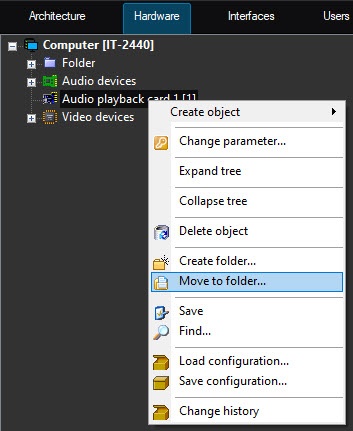
As a result, the window for selecting a folder to which you must move the selected system object is displayed on the computer monitor window.
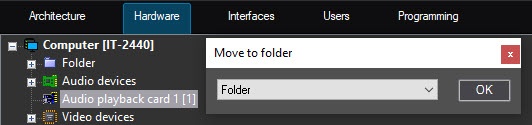
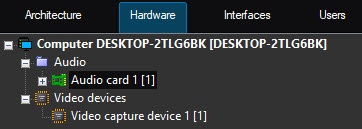
To confirm the selected folder, click the OK button. As a result, the object is moved to this folder.
Overview
Content Tools