
Go to documentation repository
Previous page Next page
It is possible to record a video signal received from the license plate recognition camera during a specified time interval. If you enable this function, the recording starts automatically when the LPR channel recognizes a license plate.
Note
In case of heavy traffic, when subsequent license plates are registered in a time period less than that specified, the video signal is recorded continuously.
To enable the function of automatic video recording, do the following:
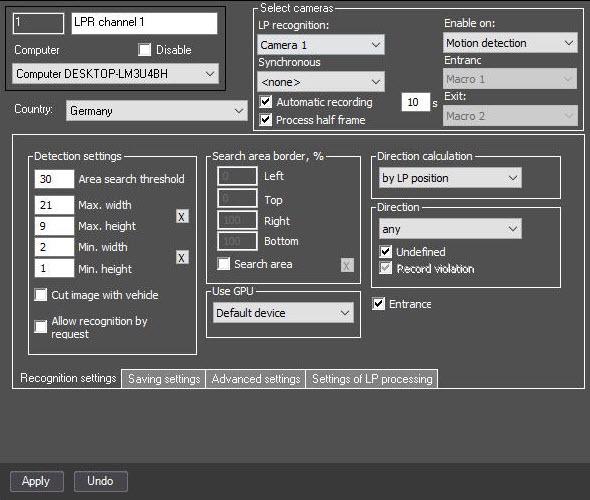
Set the Automatic recording checkbox to enable the automatic recording of the video upon recognizing a license plate.
In the field next to the checkbox, specify for how many seconds the video must be recorded after license plate recognition.
Note
If you enter 0 seconds in this field, continuous recording starts when a license plate is recognized.
Configuration of automatic video recording when a license plate is recognized is complete.

