
Go to documentation repository

Documentation for Axxon PSIM 2.0. Documentation for other versions of Axxon PSIM is available too.
Previous page Next page

The Audio playback card object is registered on the basis of the Computer object on the Hardware tab of the System settings dialog window.
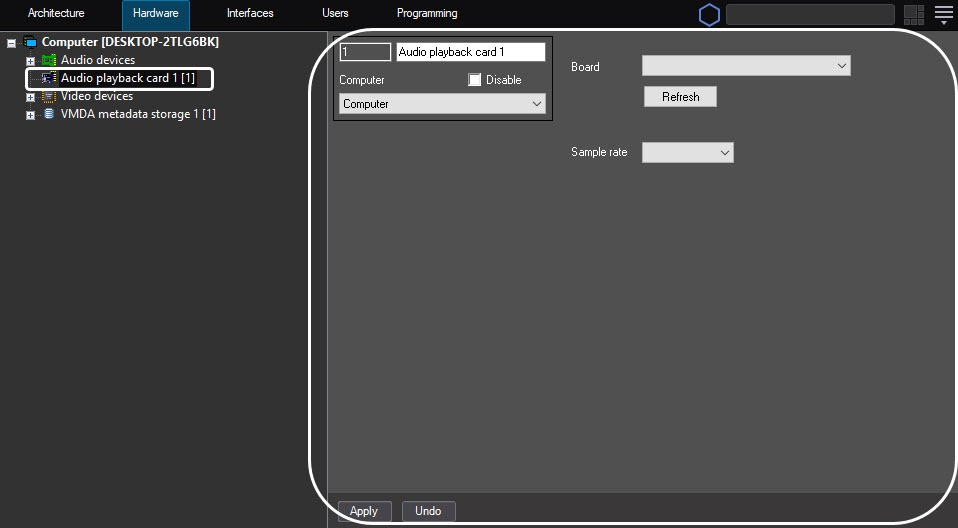
To configure the Audio playback card object, do the following:
- Go to the settings panel of the Audio playback card object.
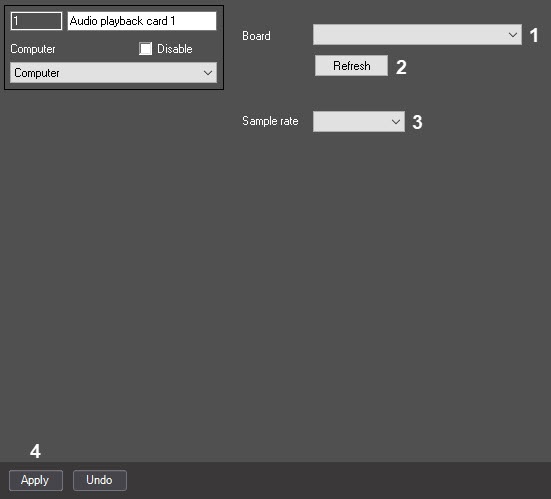
From the Board dropdown list (1), select the type of the audio digitization device.
Note
SoundBlaster, ADC video cards, USB audio digitization devices, IP camera digitization devices are used as audio digitization devices.- From the Sample rate dropdown list (3), select the rate of the audio digitization by the device.
- To save the changes, click the Apply button (4).
Note
The Refresh button (2) is used for returning to previous settings of the audio digitization device if new settings aren't saved.
Configuring the Audio playback card object is complete.
Overview
Content Tools