
Go to documentation repository

Documentation for Axxon PSIM 2.0. Documentation for other versions of Axxon PSIM is available too.
Previous page Next page

The external event viewer is created using the idb.exe utility.
Attention!
If you use the Time and Attendance module in the system that is a part of the Access Manager module of the ACFA PSIM subsystem, use the RemoteProtocolConnector utility to extract the event viewer into an individual database—see WEB Report System PSIM. User Guide (the most recent version of this document is available in AxxonSoft documentation repository).
Note
For the report system to operate, which is a part of the base Axxon PSIM, use the method of extracting the event viewer into an individual database that is described in this section using the idb.exe utility. In the report subsystem, which is a part of the base Axxon PSIM, you must configure the connection to such a database protocol.
First, you must create the protocol database using the MS SQL Server program. For this, do the following:
- Open Microsoft SQL Server Management Studio Express;
- Select Databases.
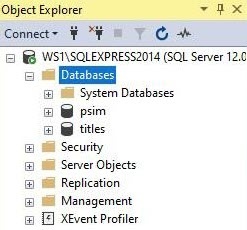
- Right-click and select New Database…
- In the New Database… window that opens, enter the name of the protocol database in the Database name line.
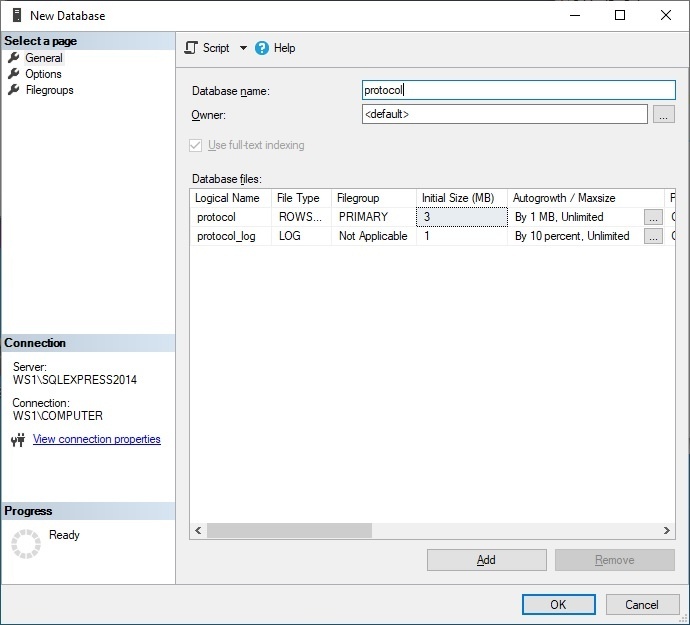
- To create the new protocol database, click the OK button.
- Close Microsoft SQL Server Management Studio Express by clicking the X button in the upper right corner of the window.
As a result, the protocol database is created.
To connect the external event viewer, do the following:
- Open the idb.exe utility (see Starting and shutting down the idb.exe utility).
- In the Select data source: drop-down list, select the database for the Protocol administering.
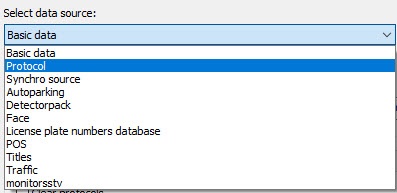
- To enable the mode if using the Protocol database, set the Use checkbox.
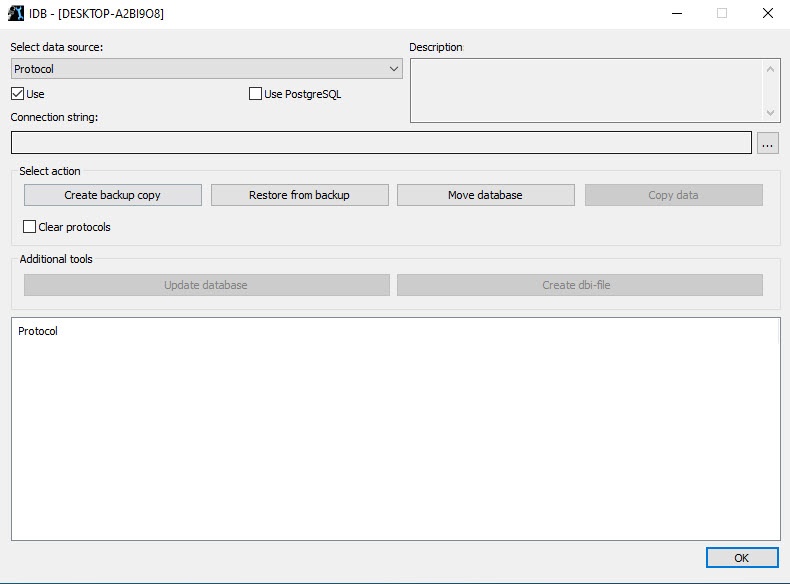
As a result, the button becomes active.
 - To configure the connection to the Protocol database, click the button. As a result, the Data Link Properties dialog window is displayed on the screen.
- In the window that opens, go to the Provider tab.
- Select the Microsoft OLE DB Provider for SQL Server item from the OLE DB Provider(s) list.
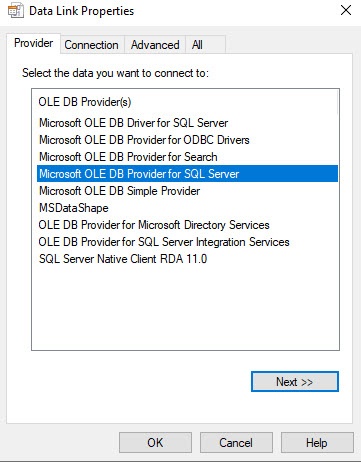
- Click the Next button. You are automatically redirected to the Connection tab.
- Do the following in the Connection tab:
- From the 1. Select or enter a server name: drop-down list, select the server name.
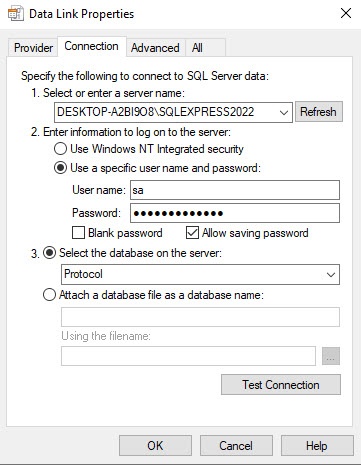
- In the User name field, specify the user name.
- In the Password field, enter the password.
- Set the Allow saving password checkbox.
- Go to the All tab.
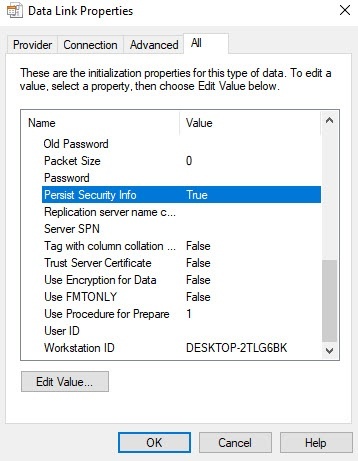
- In the Persist Security Info field, set the True value. This is necessary to correctly save the user password.
Note
Each time you change the server connection parameters, you must set the True value in the Persist Security Info field.
From the 3. Select the database on the server drop-down list, select the protocol database.
Note
You must select a database at this step. If you leave the database field blank, then after you close the Data Link Properties window, the line "Database is not set in connection settings" appears in the database description window of the idb.exe utility, and the OK button to save changes becomes inactive.
Click the Test Connection button.
If you successfully connect to the MS SQL server, the Test connection succeeded message is displayed.
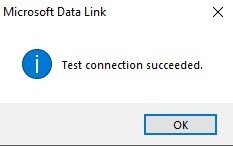
Click the OK button in the message window to close it.
- From the 1. Select or enter a server name: drop-down list, select the server name.
- Click the Update database button to start the process of updating the database structure.
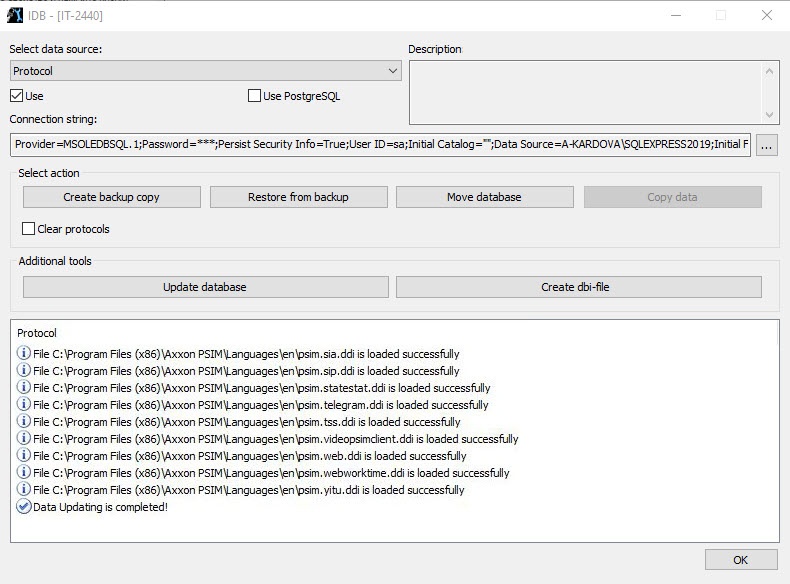 As a result, the process of updating the database structure starts with the corresponding messages that are displayed in the Protocol table.
The structure is updated when the Data Updating is completed! message is displayed in the Protocol table. - To save Axxon PSIM connection parameters to the Protocol database, click the OK button. As a result, the dialog window closes automatically.
Creating and connecting the external event viewer is complete.
Overview
Content Tools