The Shooter detection object is created on the basis of the Person location tracker object on the Hardware tab of the System settings dialog window.
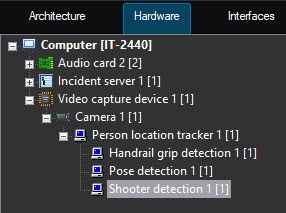
To configure the shooter detection, do the following:
- Go to the settings panel of the Shooter detection object.
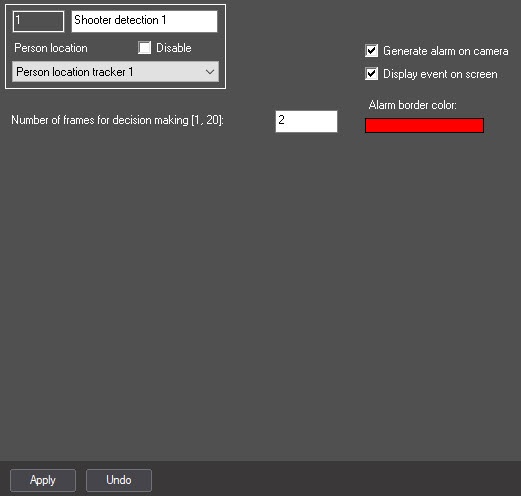
- In the Number of frames for decision making [1, 20] field, enter the required number of frames from 1 to 20 on which a person must be found in the shooter pose to generate the corresponding event. The default value is 2.
- Set the Generate alarm on camera checkbox to generate an alarm on camera when the detector detects the shooter pose. By default, the checkbox is cleared.
- Set the Show event on screen checkbox to display an alarm border on the screen when the detector generates an event. You can specify the color of the alarm border in the next step. By default, the checkbox is cleared.
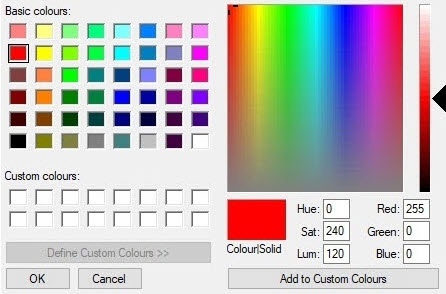
- In the Alarm border color field, specify the color of the alarm border using the color palette. The default color is red. Double-click the color field to open the Color palette. After you select the border color, click the OK button to save the settings.
- Click the Apply button.
Configuring the Shooter detection is complete.


