
Go to documentation repository

Documentation for Monitoring PSIM 2.0 (english)
Previous page Next page

On the page:
The operator of the Server of Control and Additional workplace modules can transmit the LPs' blacklist using the Monitoring interface object from the Details window of the log or control panel.
To open the Details window, click the Show details  button on the toolbar of the log or control panel
  .
.
By default, the blacklist transmission is disabled.
Transmitting the LPs' blacklist
- To enable the ability to transmit the LPs' blacklist, set the CarPlatesBlackList=1 parameter value of the HKEY_LOCAL_MACHINE\SOFTWARE\Wow6432Node\BitSoft\VHOST\VHostService registry key (see Vertical sollutions, for more information on working with the registry, see Working with Windows OS registry).
As a result, the Blacklist and Select file buttons are displayed on the toolbar of the Details window.
- Enable the visibility of other Blacklist and Blacklist download status columns on the Fields tab (for more details, see Information about an object).
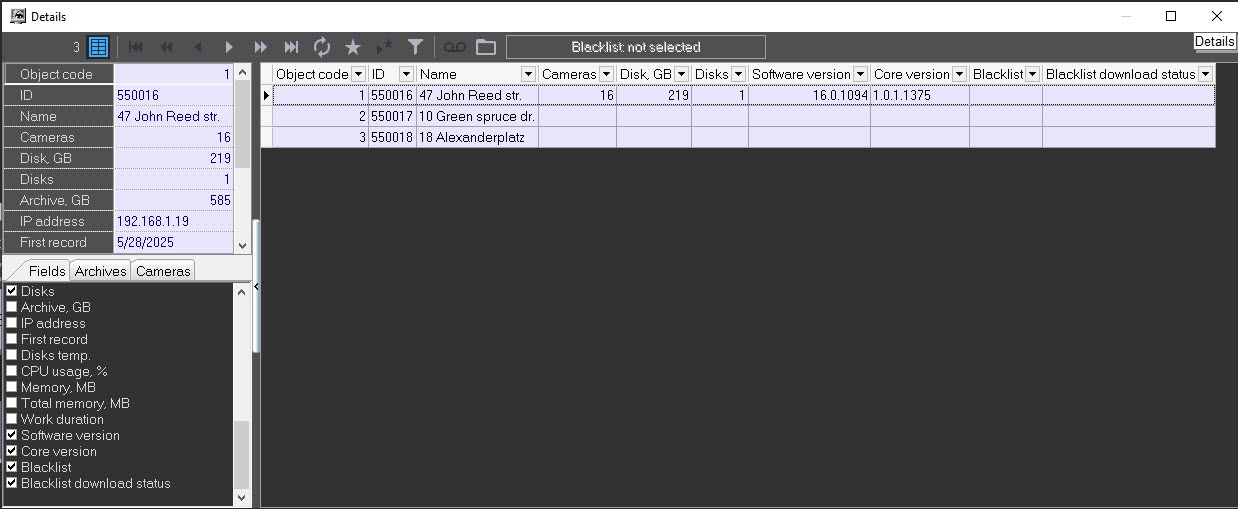
- Click the Select file
 button at the top of the toolbar.
 - In the Windows dialog window that opens, select the required file with the LPs' blacklist.
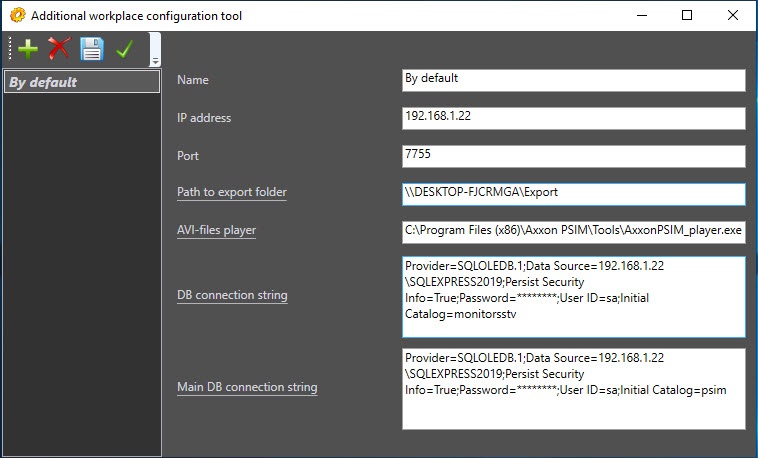
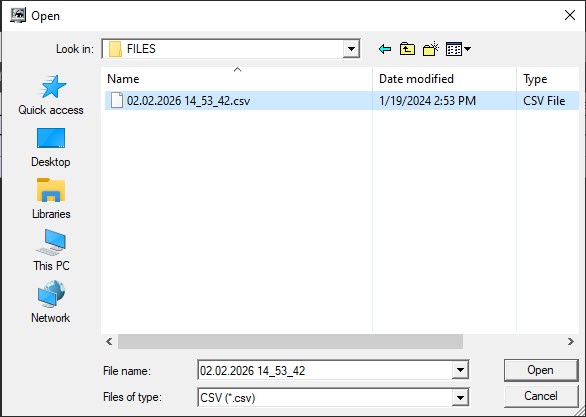 The selected file is copied to the Server of Control export directory that is located by default at C:\Export. If the operator of the Additional workplace module performs this operation, then make sure that the path to the export directory is correct.
Note
The blacklist file format must match the export/import file format of the Auto PSIM "Active tracking" database (for more details, see Creating the Active tracking database).
Files whose names exceed 23 characters are ignored.
- Select where to send the LPs' blacklist file by clicking the Blacklist: Transmit to selected object or Transmit to all objects button.

If you try to send the LPs' blacklist without specifying a file, the corresponding error message appears.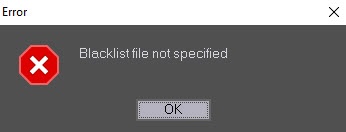
After you select the Transmit to all objects menu item, the Server of Control module sends the LPs' blacklist file to all system Agents of Control in parallel. If the sending to the Agent of Control is successful and the loading to the database is without errors, the Blacklist column displays the name of this accepted file, and the Blacklist download status column displays the Success row. If there are mistakes during the loading, they appear in the download status column.
Transmitting the LPs' blacklist is complete.
The list of errors when loading the LPs' blacklist file
| Error code | Error description | Error source | Comment |
|---|---|---|---|
| 0 | Success | ||
| 1 | Failure in main database | Agent of Control | |
| 2 | Failure in license plate database | Agent of Control | |
| 3 | Blacklist file processing failure | Agent of Control | Possibly, the incorrect file format |
| 4 | Error opening main database | Agent of Control | |
| 5 | Error opening license plate database | Agent of Control | |
| 6 | No External LP database object found in setting | Agent of Control | You don't install Auto PSIM or create the External LP database object on the computer with the Agent of Control module |
| 7 | Failure in MonitorSSTV database | Server of Control | |
| 8 | Error opening MonitorSSTV database | Server of Control | |
| 9 | Failed to receive blacklist file name | Server of Control | The MonitorSSTV database has no information about the blacklist name |
| 10 | Failed to receive object IP address | Server of Control | The Agent of Control module doesn't still connect to the Server of Control module |
| 11 | Error opening blacklist file | Server of Control | The blacklist file is absent in the export directory. The possible reason is that you select this file on the Additional workplace module with the export directory configured impoperly |
| 12 | Error connecting to object | Server of Control | You fail to connect to the Agent of Control module via TCP/IP to the port 8888 (by default) |
| 13 | Error transmitting data to object | Server of Control |
Features of transmitting the LPs' blacklist
- By default, the Server of Control module connects to the 8888 port of the Agent of Control module. The example of configuring at the side of the Agent of Control module.
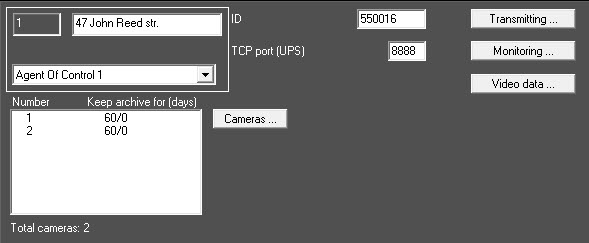
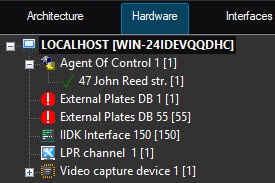
If you change this setting on the side of any Agent of Control module, you can specify another port number on the Server of Control side by using the TcpPortForBlackList parameter for all Agent of Control modules and the TcpPortForBlackList<ID> parameter for separate Agent of Control modules of the HKEY_LOCAL_MACHINE\SOFTWARE\Wow6432Node\BitSoft\VHOST\VHostService registry key (see Vertical sollutions, for more information on working with the registry, see Working with Windows OS registry). - The operation with the External Plates DB object of a lower number is performed on the Agent of Control module.
- You can only view the values of the Blacklist and Blacklist download status fields in the Details window on the Central Server of Control and the Additional workplace of CSC modules but cannot load the LPs' blacklist file to Agents of Control.
Overview
Content Tools