
Go to documentation repository

Documentation for Axxon PSIM 2.0. Documentation for other versions of Axxon PSIM is available too.
Previous page Next page

The Collapse tree function allows you to collapse the objects tree (see Objects tree).
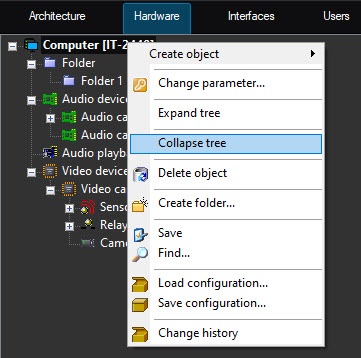
When you use this function, only the branch of the tree under the object from the function menu of which the function is called collapses.
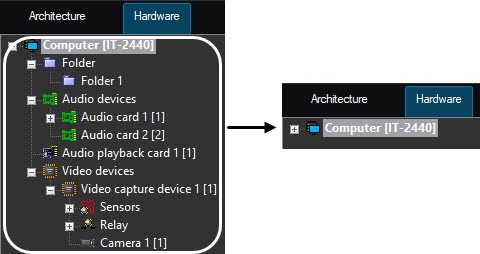
To collapse all branches of the objects tree, select the Collapse tree menu function while holding down the Shift key on the keyboard.
Overview
Content Tools