
Go to documentation repository

Documentation for Axxon PSIM 2.0. Documentation for other versions of Axxon PSIM is available too.
Previous page Next page

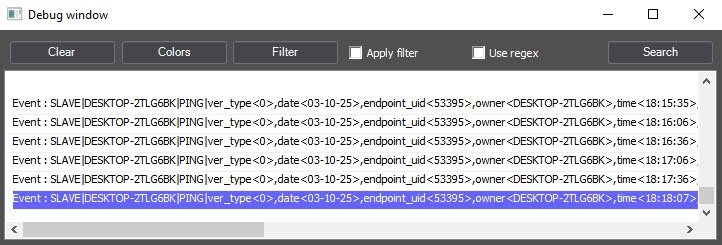
To configure message highlighting in the debug window, do the following:
- Click the Colors button.
- In the Highlight window that opens, specify the line at which the messages that include this line are highlighted by the selected color (1).
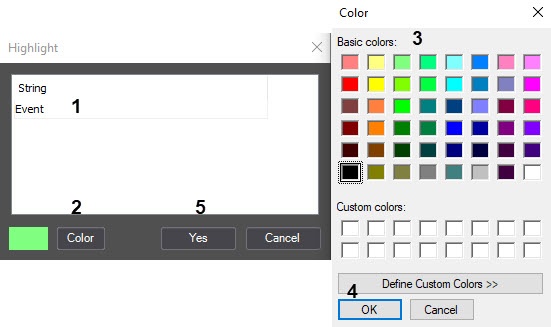
- Click the Color button (2).
- Select the color of the message highlighting in the Color Windows standard dialog window (3).
- Click the OK button (4).
Repeat steps 2-5 for all required lines.
Note
To add a line to the table, press the "down" key on the keyboard.- Click the Yes button (5).
As a result, the messages that include the entered line are highlighted in the debug window.
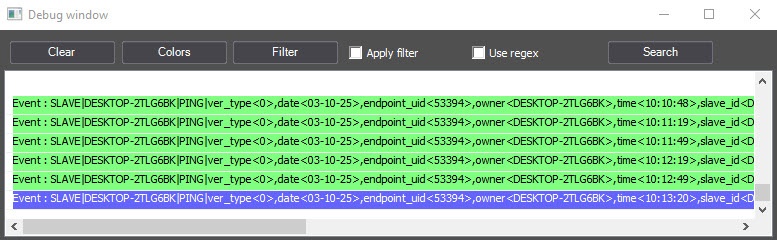
Highlighting messages is complete.
Overview
Content Tools