
Go to documentation repository
Documentation for Axxon One 3.0/3.1 version. Documentation for Axxon One 2.0 version is also available.

On the page:
General information
This action initiates an alarm in the system and starts recording to the archive.
Configuring an action
To configure this action, do the following:
- Go to the Programming tab.
- In the Event rules or Cycle rules list, click Create... (see Configuration of macros).
- Select a start condition that triggers a macro (see Configuration of start conditions).
- Click the
 button below start conditions.
 - From the drop-down list, select Camera: Initiate alarm.
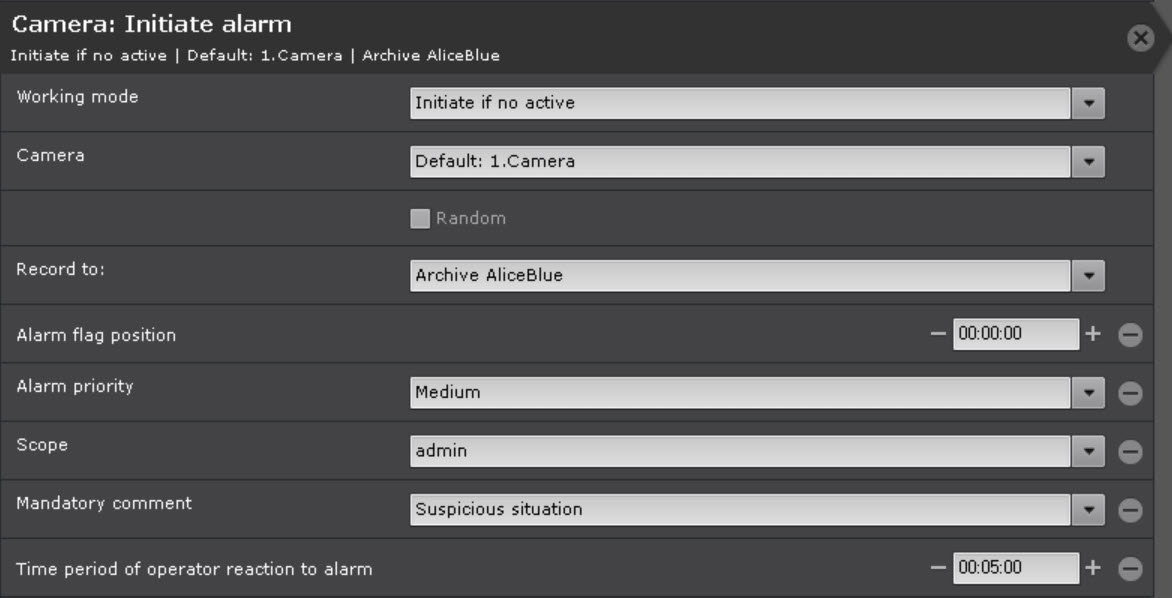
- In the Working mode parameter, select the alarm initiation mode:
- Initiate always,
- Initiate if no active (only if there is no active alarm on the specified camera in the system at the moment).
- In the Camera parameter, select from the list a camera or group of cameras on which you want to initiate an alarm. In addition, an implicit camera selection is allowed—Camera that initiated command execution.
Attention!
If a macro is initiated by an event from an input or output (see Configuration of start conditions) that is not connected to any camera, you need to select a specific camera for this action. If you select a group of cameras or a camera that initiated the macro, the action doesn't start.
- Set the Random checkbox if you select a group of cameras or domain to initiate an alarm on a random camera from the specified group/domain.
- In the Record to parameter, select an archive to record to.
- If necessary, click the button and add additional parameters.
- In the Alarm flag position parameter, enter the time in seconds to offset the alarm flag in the past relative to the actual occurrance time of the event that triggered the macro.
Note
If the alarm flag position is set, the event that was just taken into processing is played back from the moment corresponding to the flag position in the past, and not from the alarm start.
- In the Alarm priority parameter, select the priority of the alarm. When an alarm is displayed on the Alert panel, the higher the alarm priority, the higher it is positioned in the alarm list.
- In the Scope parameter, specify the scope of visibility for the roles, the users of which can see an alarm generated by the macro. If you don't specify any role in the scope of visibility, an alarm is displayed for all users.
- In the Mandatory comment parameter, select an alarm assessment, after receiving which the operator must enter a comment.
- In the Time period of operator reaction to alarm parameter, specify the time within which an alarm must be taken into processing, otherwise it will be assigned the Skipped status. The minimum value is 2 minutes.
Note
You can configure the Mandatory comment and Time period of operator reaction to alarm parameters in the system settings (see Alarm processing). If you specify these parameters in the macro settings, the system settings are ignored only by the alarms initiated by this macro.
- Click the Apply
 button.
Configuration of the Initiate alarm action is complete.
Example use
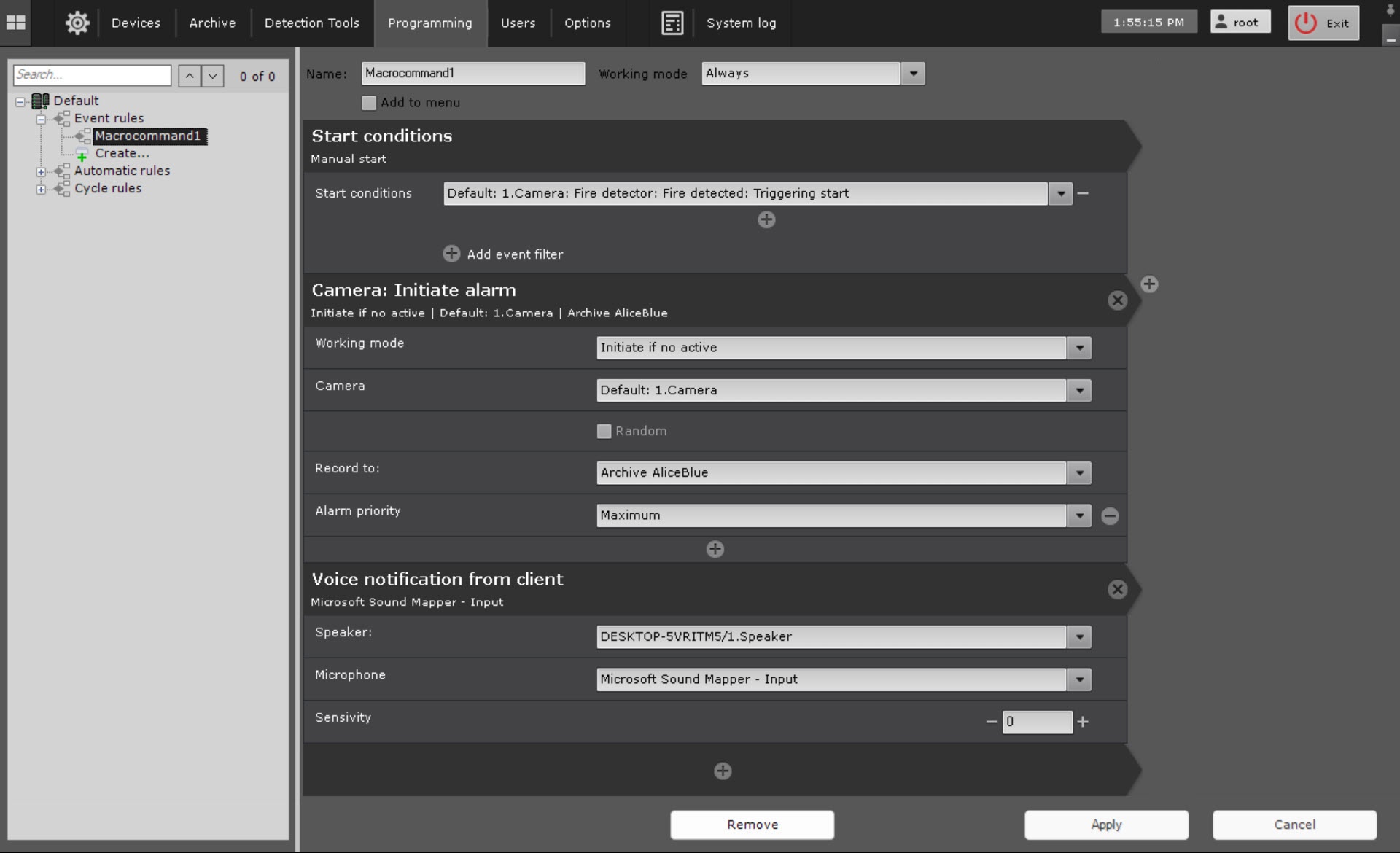
When smoke is detected, the fire detector generates an event that triggers a macro. The maximum priority alarm is initiated and an audio notification is played.
Overview
Content Tools