
Go to documentation repository


The Options tab in Axxon One is designed for using flexible settings for the system configuration in accordance with user requirements. On this tab, you can specify the client application parameters, as well as set the settings applied by default.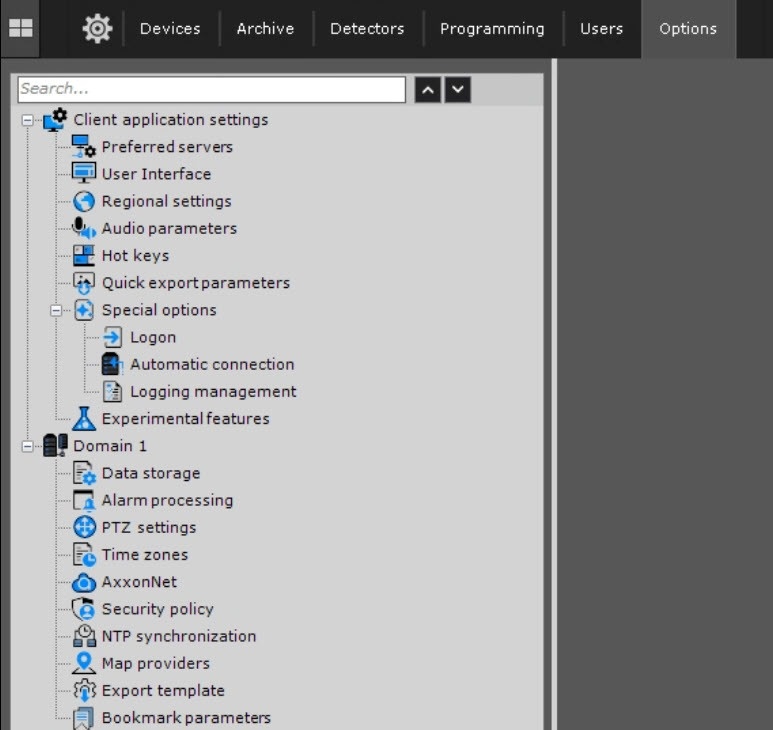
- Client application settings. This section allows configuring key features of the user interface:
- Preferred servers—managing connection parameters to the server.
- User Interface—personalizing the interface appearance and behavior.
- Regional settings—selecting language, date and time formats, and other parameters.
- Audio parameters—configuring audio notifications and operation with audio devices.
- Hot keys—assigning hot keys for quick action execution.
- Quick export parameters—data export and report parameters.
- Special options—additional settings for advanced configuration.
- Experimental features—features that are in the test mode.
- Domain 1. This section includes basic settings applied in the entire system:
- Data storage—managing terms and volumes of data storage.
- Alarm processing—configuring responses on alarm events.
- PTZ settings—PTZ camera control parameters.
- Time zones—setting time zones.
- AxxonNet—connecting to the AxxonNet service.
- Security policy—protection parameters for personal data and credentials.
- NTP synchronization—configuring time synchronization with NTP servers.
- Map providers—selecting maps and other services for displaying geodata.
- Export template—data and export report templates.
- Bookmark parameters—configuring bookmark parameters.
Overview
Content Tools